

Overview
Open-text feedback gets messy once enough people answer. You may know there are pricing complaints, onboarding gaps, and feature requests in the feed, but someone still has to turn those answers into consistent labels.
Pulseahead can now suggest response tags from recent answers to open-text survey questions. Turn it on in Project settings, review the suggested tags on the Response Tags page, and accept the ones that match how your team talks about user feedback. For setup details, see the AI-suggested response tags documentation.
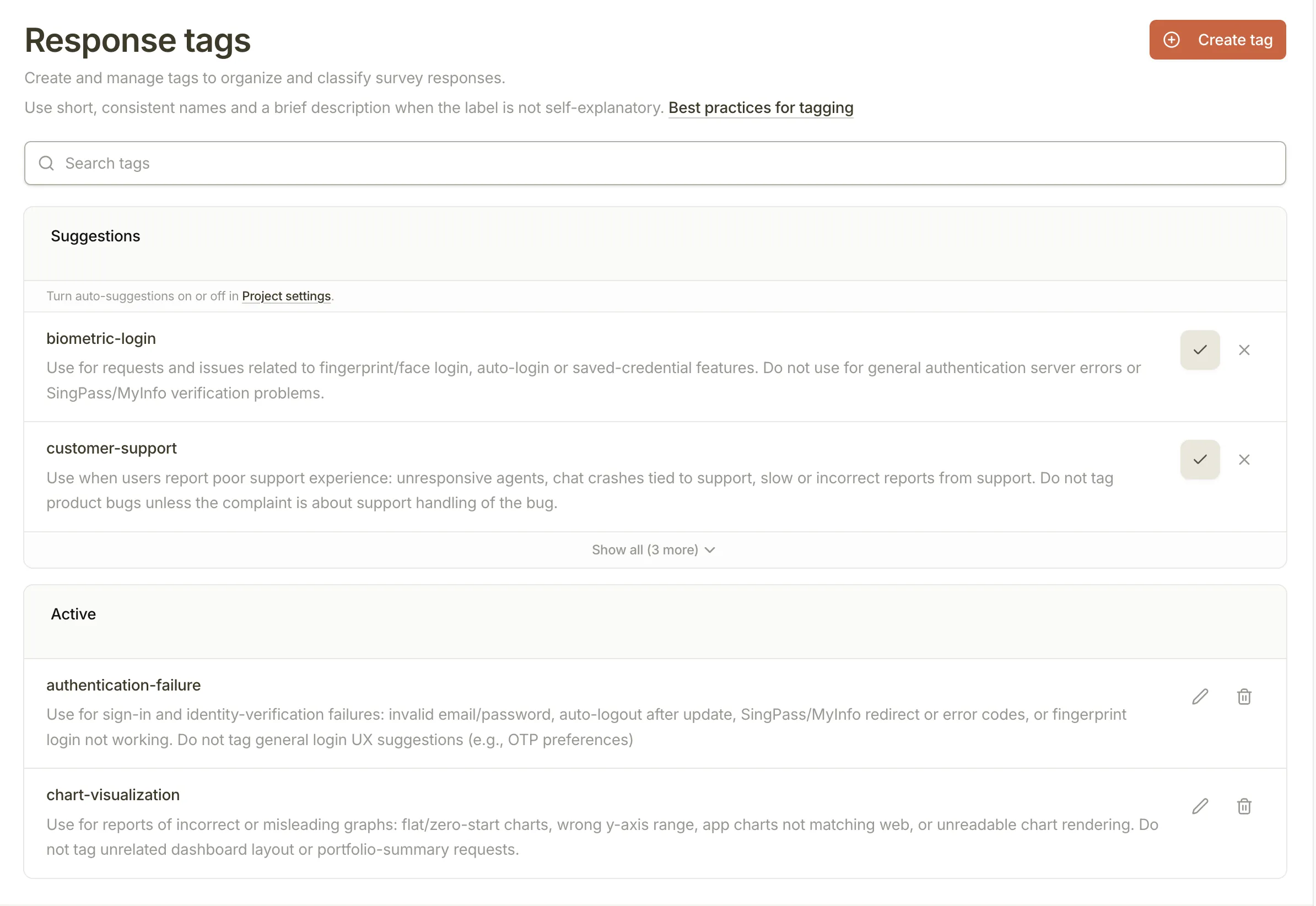
Response Tags page with AI-suggested tags
What’s New
- AI tag suggestions: Pulseahead reviews recent open-text answers and suggests reusable project tags for recurring themes.
- Review before accepting: Suggested tags stay separate until you accept them, so your team stays in control of the taxonomy.
- Project-level setting: Turn suggestions on or off from Project settings.
When to use it
Use suggestions when open-ended answers are arriving faster than your team can tag them by hand. They are useful for surveys like “What stopped you from upgrading?”, “What was confusing?”, or “What should we build next?”
Suggestions are available on paid plans that include Response Tags. Pulseahead runs them on a 7-day cadence after you turn them on, checks recent open-text answers, and avoids tags that already exist in your project.
What this means for you
- Less blank-page tagging: Start with likely themes, then refine the tags that fit your team.
- More consistent review: Product, research, and support teams can work from the same tag set instead of creating near-duplicates.
- Cleaner feedback analysis: Accepted suggestions become normal response tags, ready for the response feed and future tag-based workflows.
Feedback? Tell us via in-app chat or reply to your onboarding email.