
Generate targeted feedback surveys from a single prompt
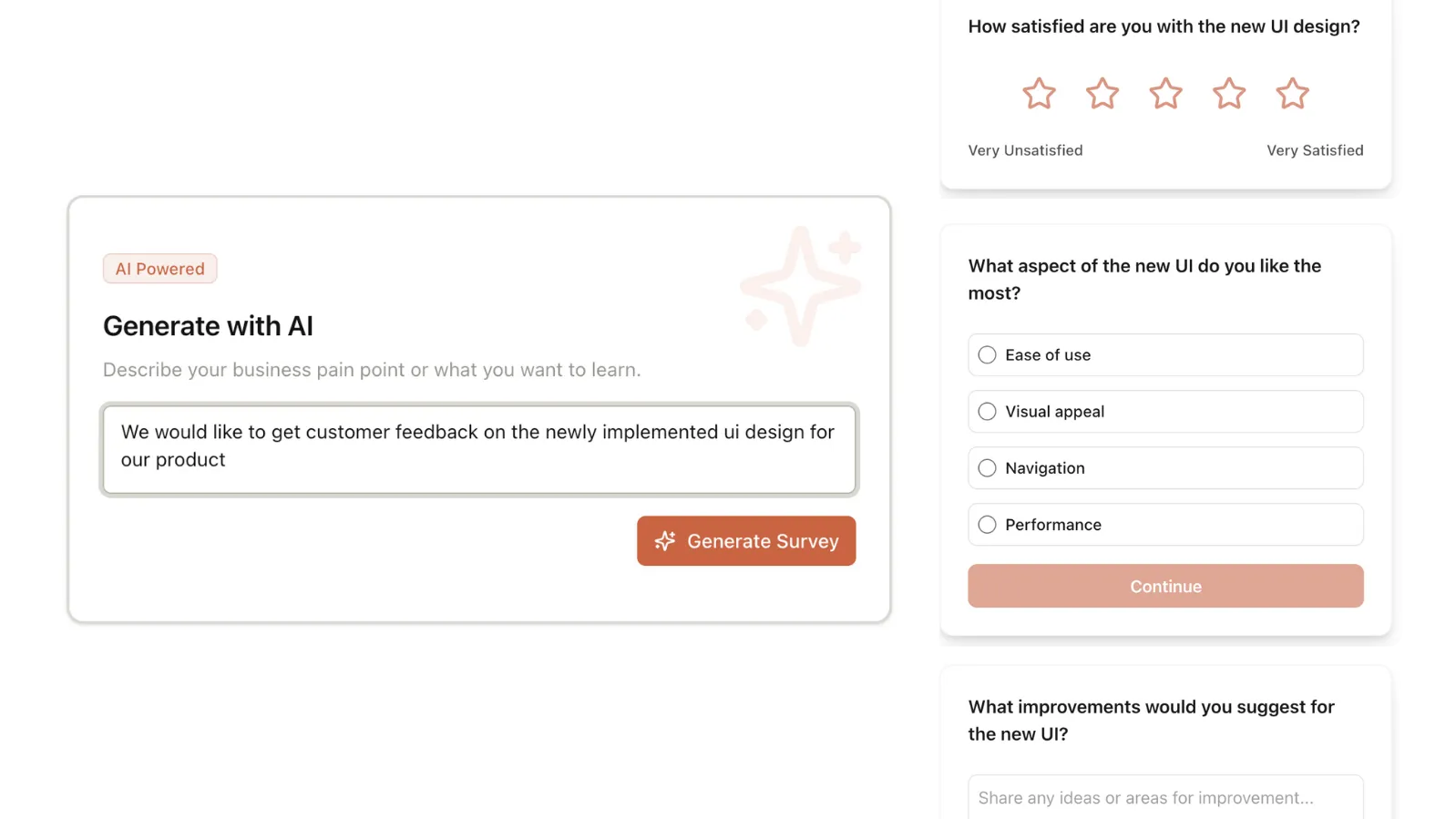
No blank builder. No guessing what questions to ask. Tell our AI what you're trying to learn and get back a fully structured survey with questions and the right question types, all in one click.
Example prompt"Help me understand why users who complete our onboarding aren't activating the core feature. I want to know where they got confused and what was missing."
No credit card required · Edit everything the AI generates
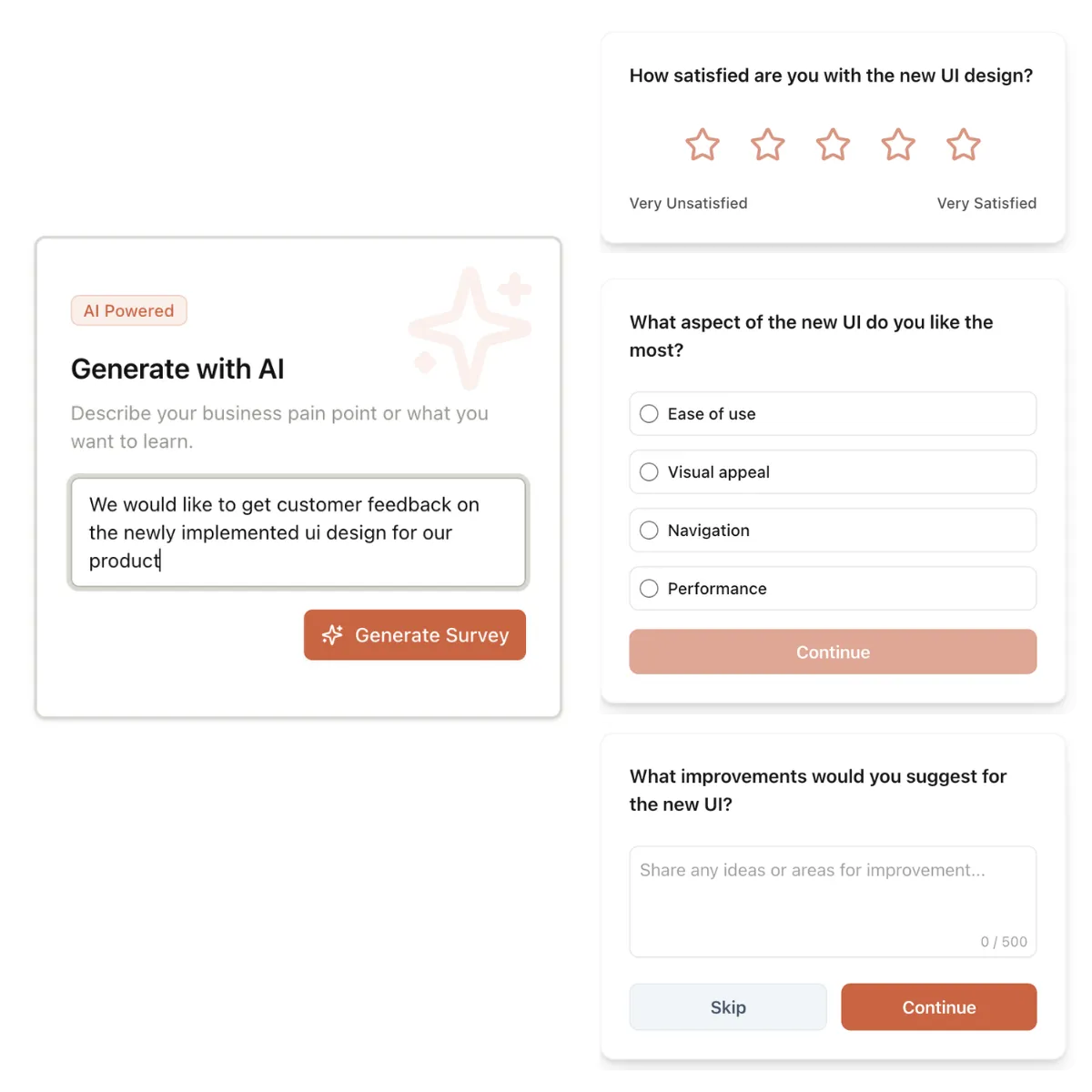
From prompt to live survey
in under 5 minutes
Describe your goal
Tell the AI what you're trying to learn. A sentence or two is enough. Be specific about the user state, the decision you need to make, or the problem you're investigating.
"Understand why users stop using the reporting feature after their first week."
Review the generated survey
Get back a complete survey with question copy, step ordering, and question types already configured. Read through it, edit what doesn't fit, remove what's redundant.
Typically 4-6 questions. Adjust 1-3 before publishing.
Set targeting and publish
Configure who sees the survey and when — by URL, days since signup, session count, or behavioral trigger. Preview the flow, then go live. Responses start appearing immediately.
Show to users on /dashboard who have been signed up for at least 30 days.
AI drafts the first version,
you control every detail
Edit and refine anything the AI generates
The draft is a starting point, not a final answer. Adjust question copy, swap types, reorder steps, remove what doesn't fit. Most teams change 1-3 things. Nothing ships without your sign-off.
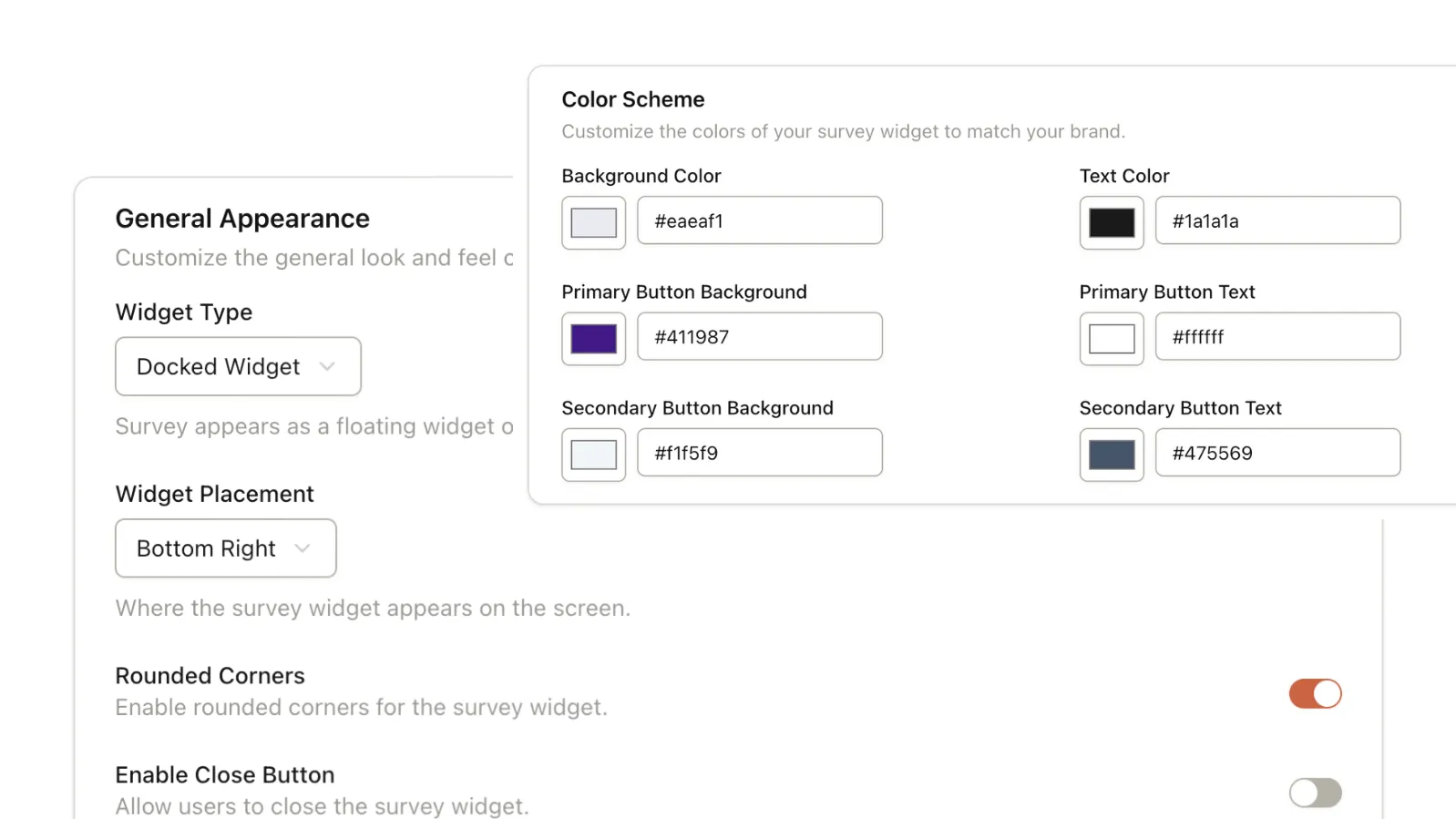
On-brand from the start
Match your brand colors, choose your widget style and layout. A survey that looks like a third-party tool breaks trust. AI generates the structure; you control how it looks inside your product.
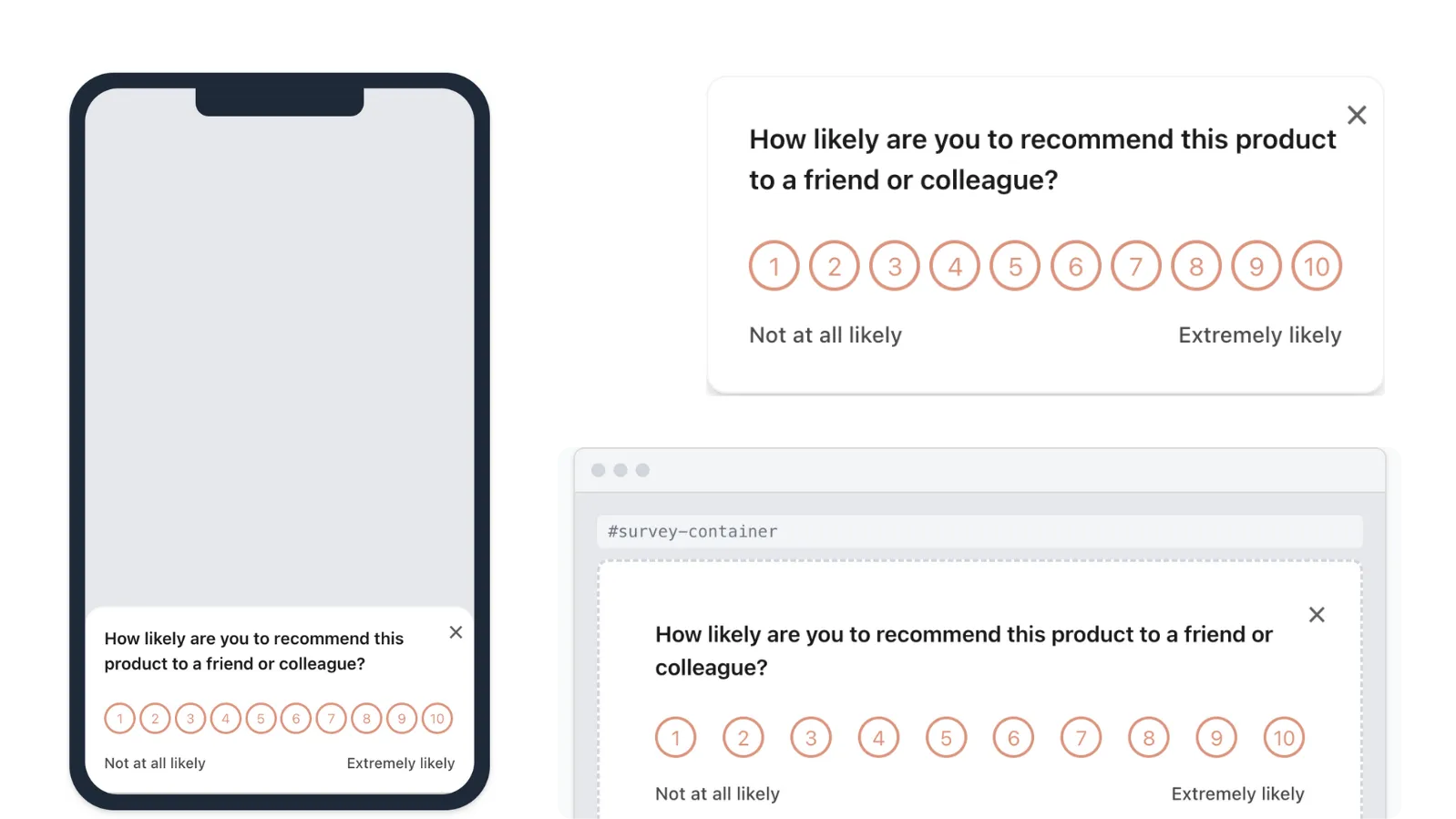
Docked widget, inline embed, or modal
Pick how the survey surfaces — as a corner widget, a centered modal, or embedded directly in a page section. The format your users see should match the moment you're asking. Change it without rebuilding.
Set who sees it and when — with precision
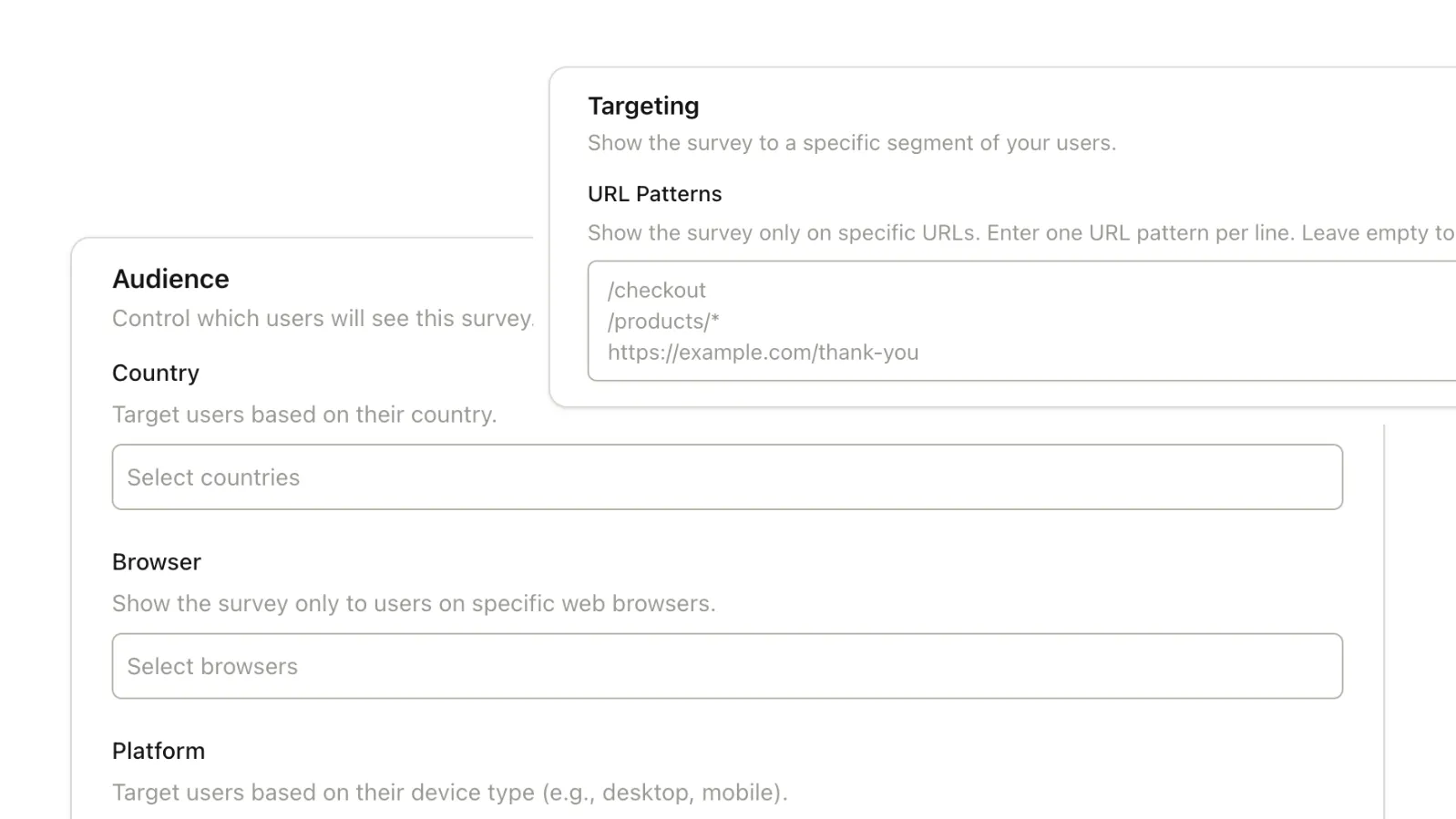
Target by session count, days since signup, URL, device, OS, country, and more. Pass your user ID to the SDK and every response maps to a real person. AI writes the survey; you decide who it reaches.
Stop starting from blank.
Let AI write the first draft.
Describe your goal. Get a complete survey. Adjust what needs adjusting, then go live in minutes.
Common Questions
Details on how AI survey generation works in Pulseahead.
How good is the AI output. Will I still need to edit everything?
The AI generates a strong starting point, but you're always in control. Most users modify questions or options slightly, add any necessary conditional branching, and then go live. It's designed to eliminate 'blank page syndrome' while giving you total flexibility to refine the final output.
What makes a good AI prompt?
Be specific about your goal and user state. 'Understand why users drop off during onboarding' works better than 'create an onboarding survey.' Include context like the lifecycle stage, what decision you're trying to make, or what you already know. The more context you give, the more targeted the output.
Does AI generation work for all survey types?
Yes — NPS, CSAT, PMF, feature research, churn, onboarding, and open-ended exploratory surveys. For standardized metrics like NPS and CSAT, the AI follows established question formats. For custom research, it adapts to your prompt.
Does it learn from my previous surveys or responses?
Not currently. Each generation is fresh based on your prompt. Future versions will incorporate historical survey performance and response patterns to improve suggestions over time.