
The Essential SaaS Surveys,
Live in Minutes
Six pre-configured lifecycle surveys that reveal onboarding friction, activation gaps, PMF signals, and cancellation reasons — ready to deploy.
Instead of picking six separate templates and configuring each one independently, you can launch the full pack together, tune the core targeting inputs in one place, and start collecting feedback into a pre-built dashboard immediately.
Minimal setup · No credit card required · Ready in minutes
Customer feedback,
organized into clear product decisions.
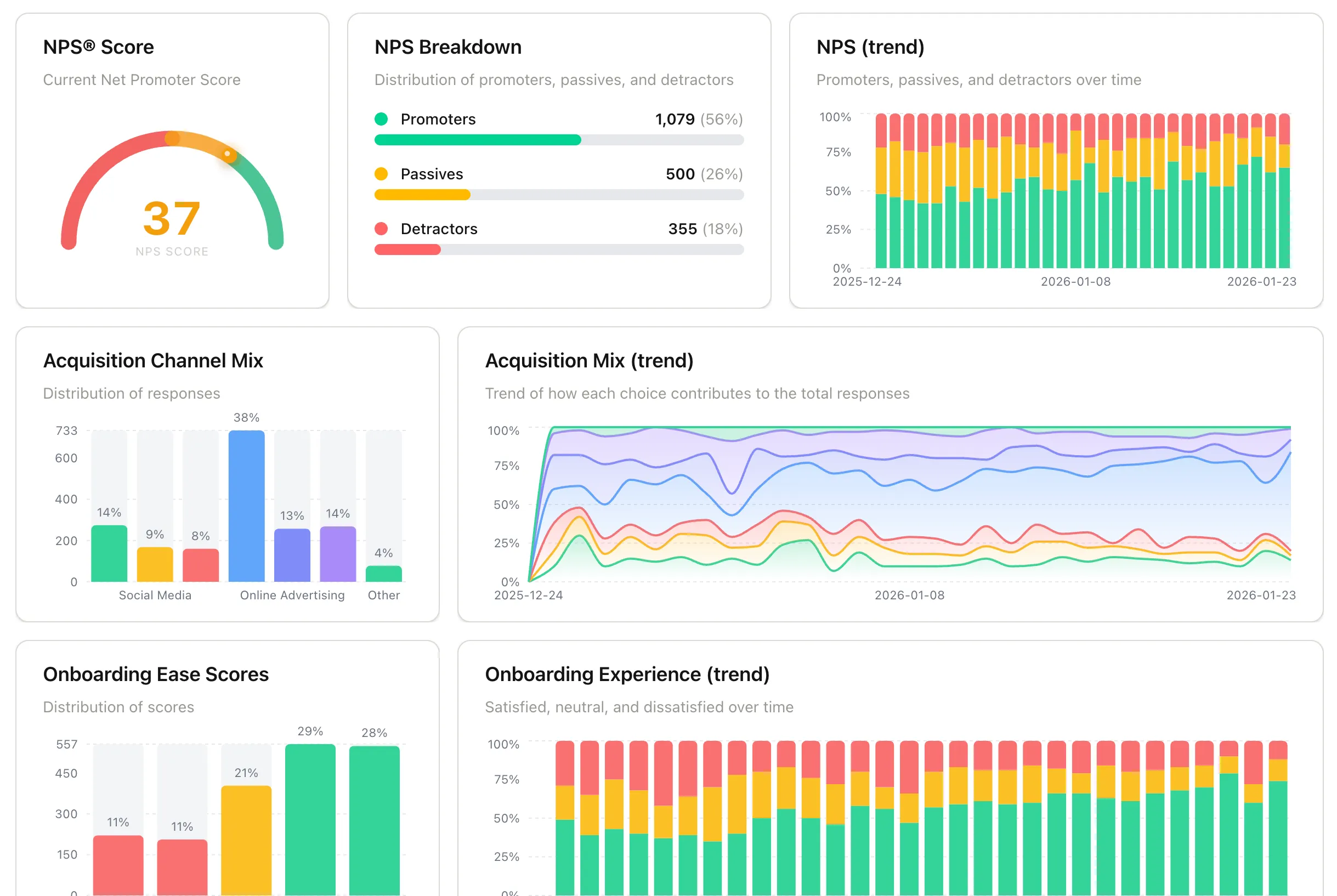
Every survey feeds into a pre-built dashboard that shows what to fix, improve, or double down on, not vanity metrics.
A structured SaaS feedback lifecycle.
Not a blank survey tool.
Built for teams who want answers fast. Most survey tools give you a builder and ask you to figure it out survey by survey. Pulseahead ships with a pre-built SaaS lifecycle, shared setup, and a dashboard designed around the metrics these surveys produce.
✕ Generic survey builders
- Blank starting point You decide what to ask, when to ask it, and who should see it for every survey you want to run.
- Weeks to First Insight Setup, design, dev tickets, and testing take meaningful time.
- High Setup Effort Requires configuring survey timing, targeting, and reporting one survey at a time.
✓ Pulseahead SaaS Survey Pack
- ✓Pre-built & Opinionated Six lifecycle surveys already chosen for onboarding, activation, PMF, NPS, churn, and user profile feedback.
- ✓One Setup Flow Adjust the Pack's built-in defaults for days since signup, session count, and URL targeting without rebuilding six surveys separately.
- ✓Dashboard Included Responses from the pack land in a pre-built dashboard focused on the metrics these six surveys are meant to surface.
One feedback system.
All critical moments covered.
Acquisition → Onboarding → Activation → PMF → NPS → Churn
User Profile
Understand who your product is actually attracting.
Capture acquisition channels, company type, and user roles at signup so you can see which audiences adopt, activate, and retain best as your product grows.
Onboarding Experience
Identify setup friction before it silently kills activation.
Pinpoint where new users get stuck, confused, or overwhelmed, and fix onboarding gaps before they impact activation rates.
Early Activation Confidence
Catch uncertainty before it turns into churn.
Detect users who haven’t reached meaningful value and intervene early, before disengagement becomes cancellation.
Product-Market Fit
Measure whether users would truly miss your product.
Run the proven PMF test to understand if you’re delivering real value, and track how product improvements shift user sentiment over time.
Quarterly In-App NPS
Track sentiment trends before they impact retention.
Monitor promoter, passive, and detractor shifts over time and spot retention risks before they show up in churn numbers.
Churn & Cancellation
Understand why users leave, in their own words.
Capture cancellation reasons at the moment of exit and identify the product, pricing, or positioning gaps driving revenue loss.
Everything you need to
collect and act on feedback.
Pulseahead gives you a complete system to learn from users, without the bloat of traditional analytics tools.
Seamless on Web & Mobile
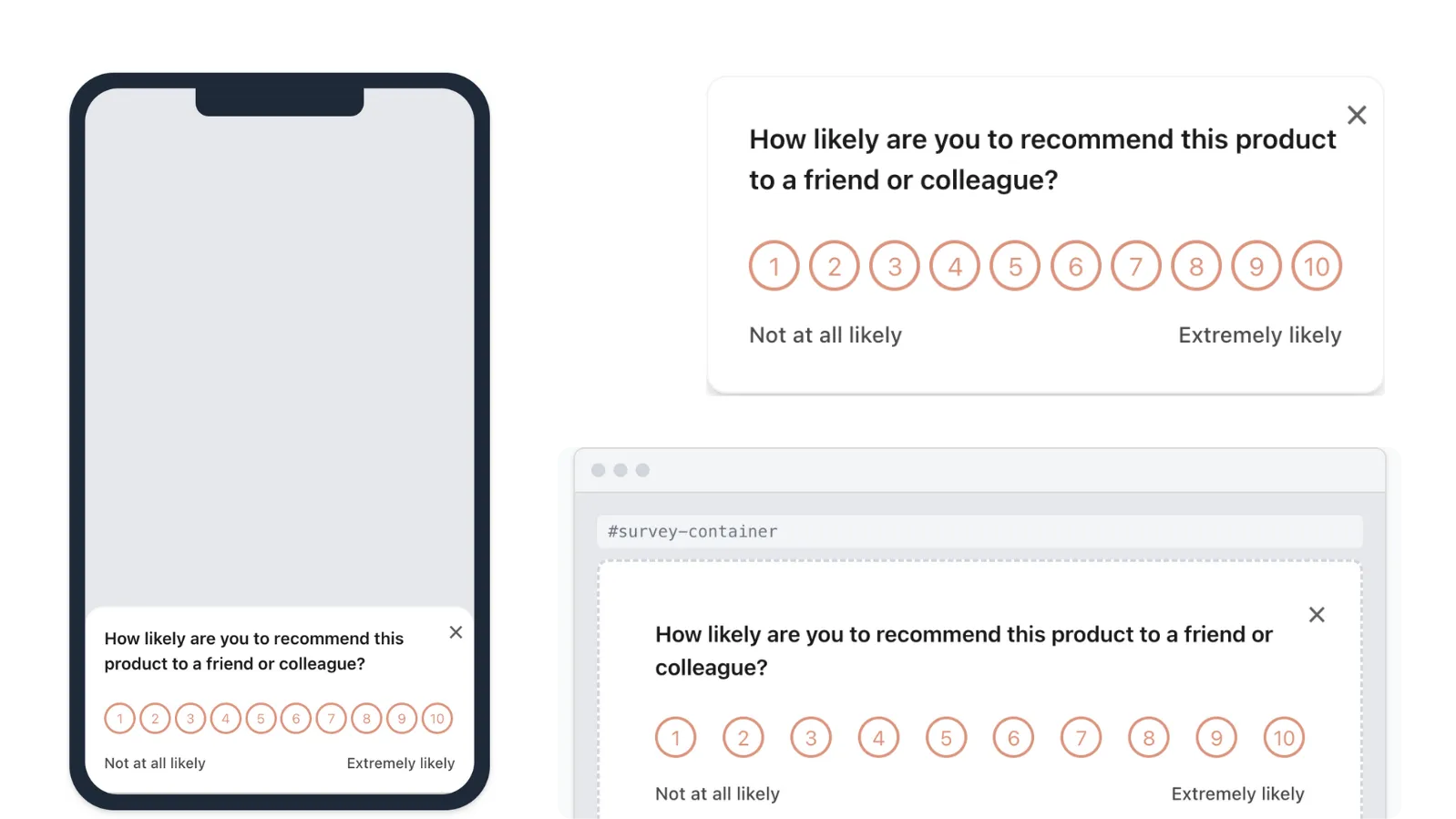
Engage users wherever they are. Display surveys as docked widgets, as a centered modal, or embedded directly in your HTML — all with seamless mobile web support.
Precise Targeting
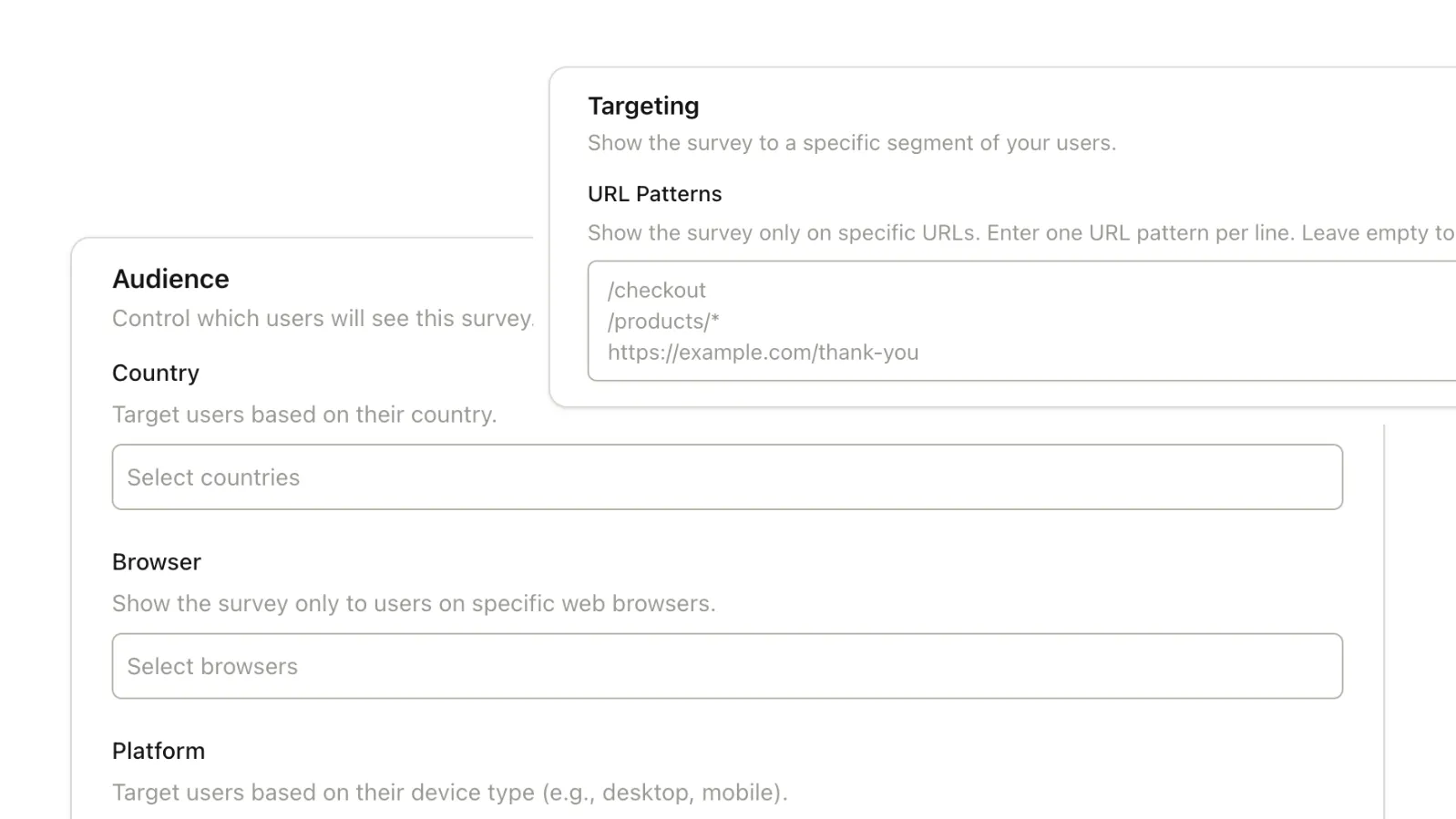
Define exactly who sees which survey based on URL patterns, device type, or specific behavior rules.
Smart Triggering
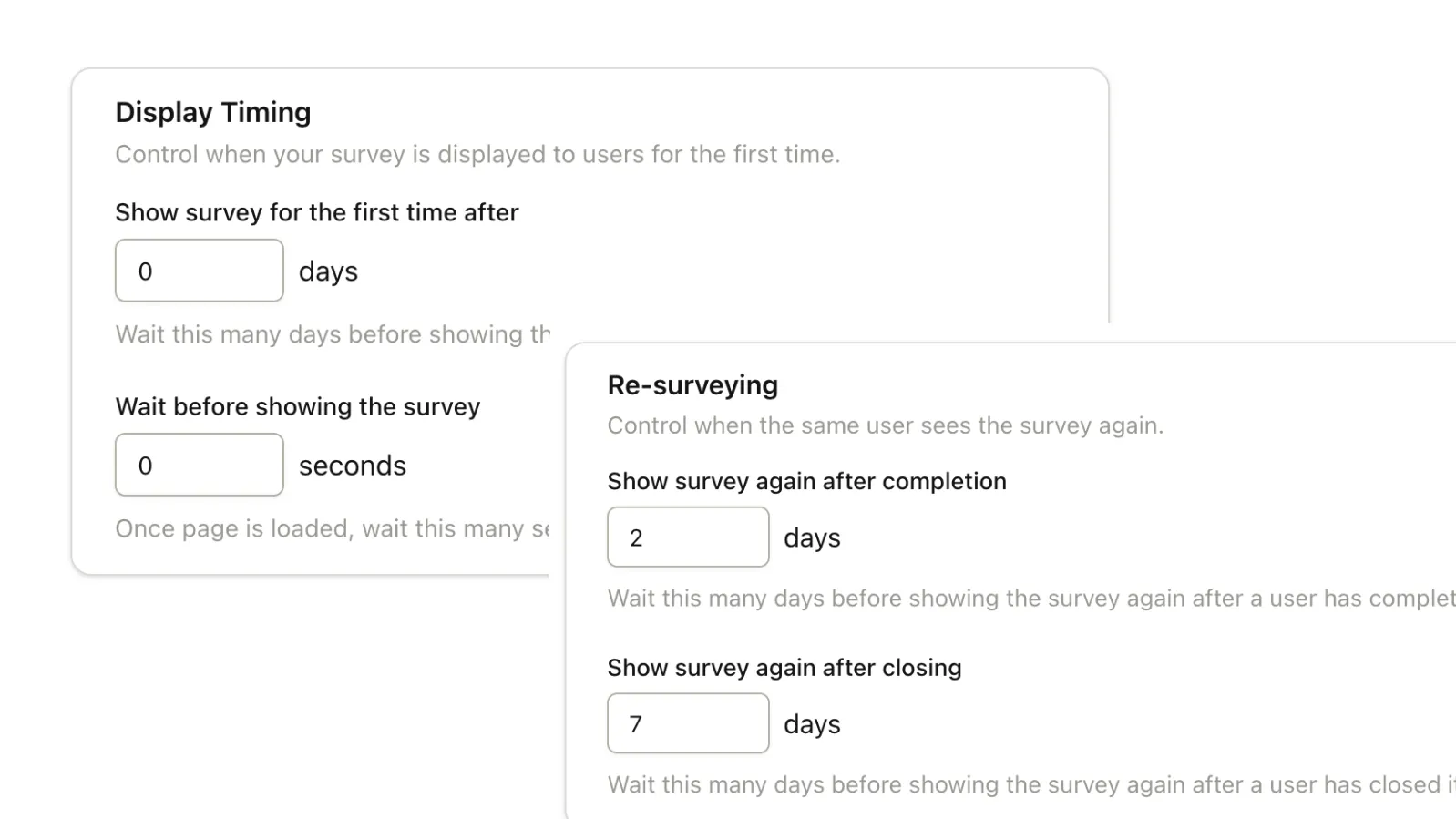
Capture feedback at the perfect moment with time delays, recurrence rules, and behavior-based timing logic.
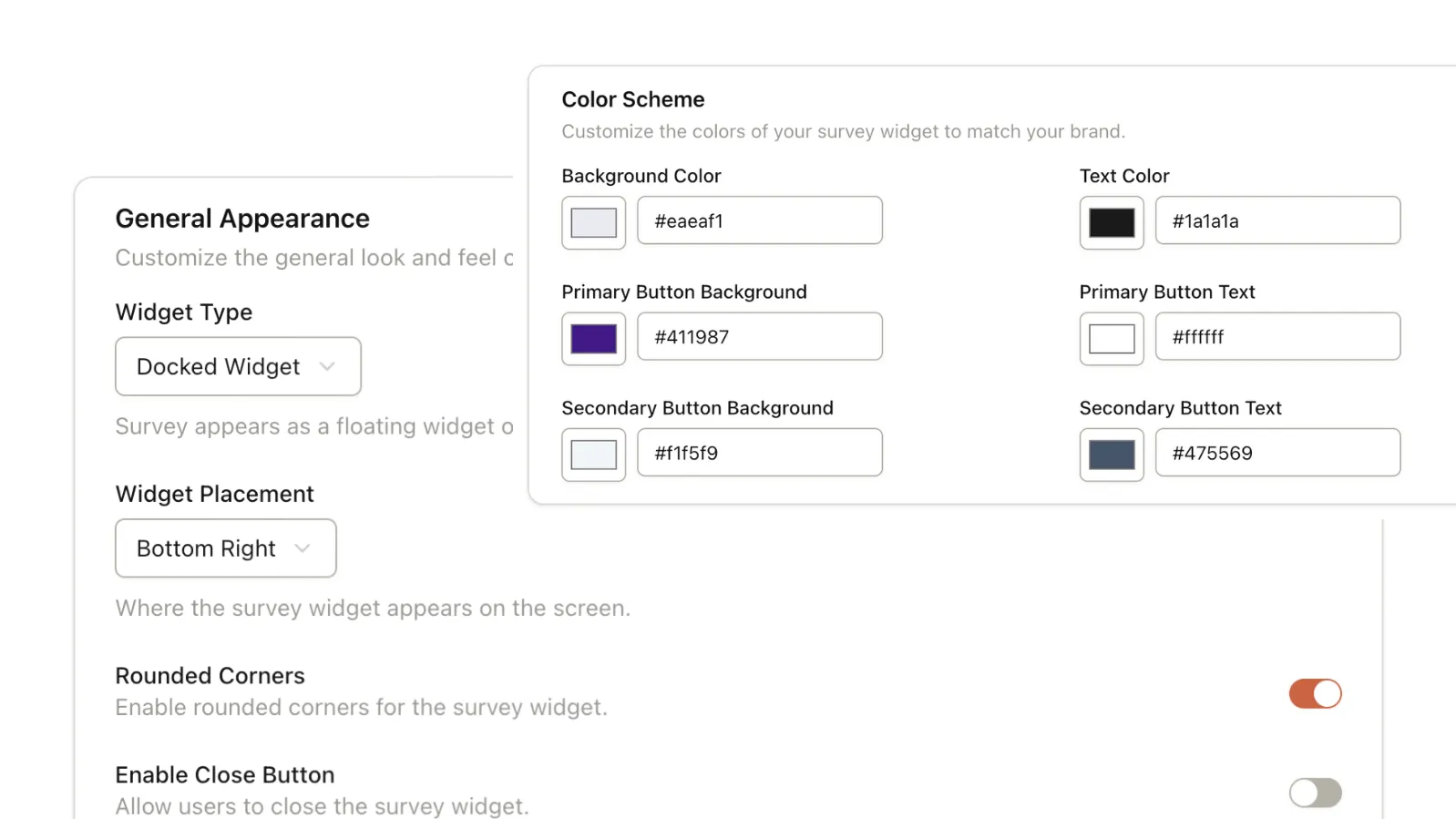
Native Styling
Match your surveys perfectly to your product UI. Customize colors, fonts, and placement for a native feel.
Start collecting customer insights
in minutes.
Join SaaS teams using Pulseahead to make better product decisions.
Common Questions
Everything you need to know about the SaaS Survey Pack.
How do smart timing defaults work?
Each survey comes with recommended trigger rules based on typical SaaS behavior patterns. We approximate when a user is most likely in the right state to answer a question using days since sign-up, number of sessions, and trigger URL. You can review and adjust these rules before going live. The defaults give you a structured starting point, not a blank setup.
What do I need to set up to go live?
Install the script and pass your system's user ID so responses can be tied to individual users. Then review the pre-configured trigger rules, which primarily cover URLs, timing, and session conditions, adjust if needed, and publish. If you want to add user-attribute targeting later, you can do that once the pack is installed. The surveys and lifecycle logic are already defined, so you're mainly configuring how they fit your product.
Is there a free trial?
Yes. Every account starts with a 14-day free trial of our Core plan. You get full access to all six lifecycle surveys, 5k monthly responses, and advanced targeting during the trial. If you choose not to upgrade, your account automatically moves to the Free plan.
Where do responses and trends show up?
All responses appear in your dashboard with breakdowns and trends over time. You can track: NPS distribution and trends, onboarding experience scores, activation confidence patterns, acquisition channel mix, company type mix, and cancellation reasons. Both aggregated metrics and individual responses are accessible.
Can I target surveys to specific users or segments?
Yes. The Pack defaults primarily use URL rules, days since sign-up, and session count. Once the pack is installed, you can further customize surveys with browser, geography, user attributes you pass through the SDK, and manual trigger where your app needs exact control.
How do you prevent over-surveying users?
You can define display frequency and repeat delays per survey. There is also a global cooldown period. If a user sees one survey, another won't be shown until the cooldown window has passed. This keeps feedback contextual without overwhelming users.
How customizable is the UI and branding?
You can customize: Question copy, response options, colors, and basic styling. The overall layout and structure remain consistent to preserve usability and performance.
Can I add custom surveys beyond the lifecycle pack?
Yes. The lifecycle pack is the structured starting point. You can create additional surveys using the builder and manage everything within the same dashboard.
Do I need to use all six surveys?
No. You can enable or disable any survey based on your current priorities. Some teams start with onboarding and activation. Others focus on NPS or churn first. The lifecycle pack is flexible.