
Build on-brand, adaptive
feedback surveys
in minutes
Pulseahead gives product teams, researchers, and founders everything they need to create in-product surveys that reach the right user, at the right moment, and actually get answered.
No credit card required
Built for SaaS teams · No MAU limits · No response caps · Live in under 10 minutes
Four paths to your first live survey —
pick what fits your situation
Whether you know exactly what to ask or you just know the problem you're trying to solve, there's a way to get started.
Build from scratch. Ship exactly what you designed.
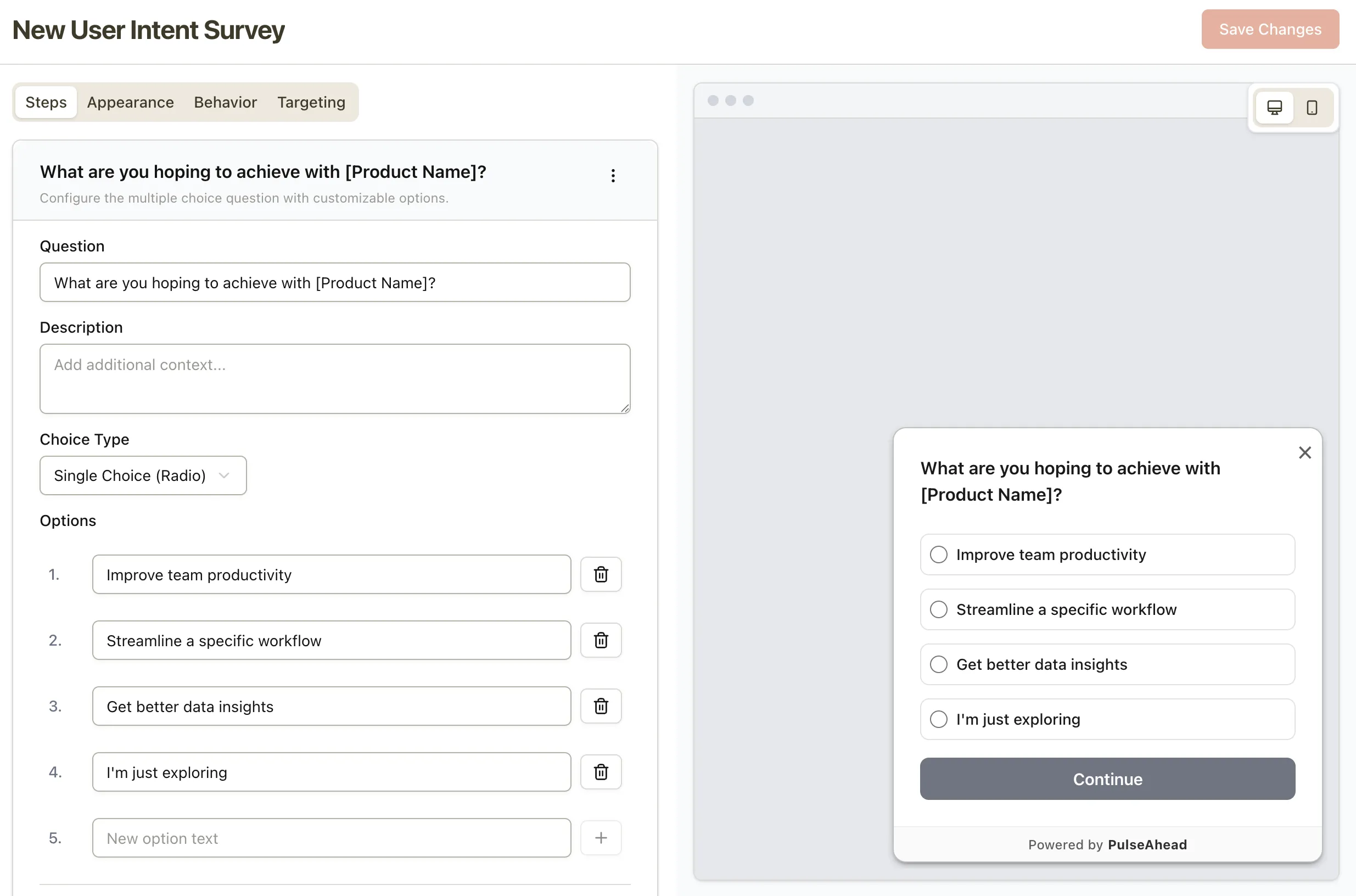
Pick question types, set your flow, arrange your steps. Preview exactly how it looks on web and mobile as you build.
Create a surveyStart with a template. Make it yours.
Templates built around real SaaS use cases — onboarding feedback, feature validation, cancellation reasons. Pick one, edit the copy, go live.
Browse templatesDescribe what you need. AI drafts the survey.
Describe the insight you're after, get a full draft survey back in seconds. Edit, reorder, add logic. Try: "Why aren't users finishing onboarding?"
Try AI builderSix surveys. Pre-built. Pre-configured. Ready to go live.
Early-stage SaaS products all hit the same wall — users sign up but don't activate, don't convert, and eventually churn. The fix is asking them why, at each stage. This pack covers all six moments, with default triggers already set. Drop in your script, pass your user ID, go live in under 15 minutes.
See the SaaS PackThe six surveys included
Every question type your
product research actually needs
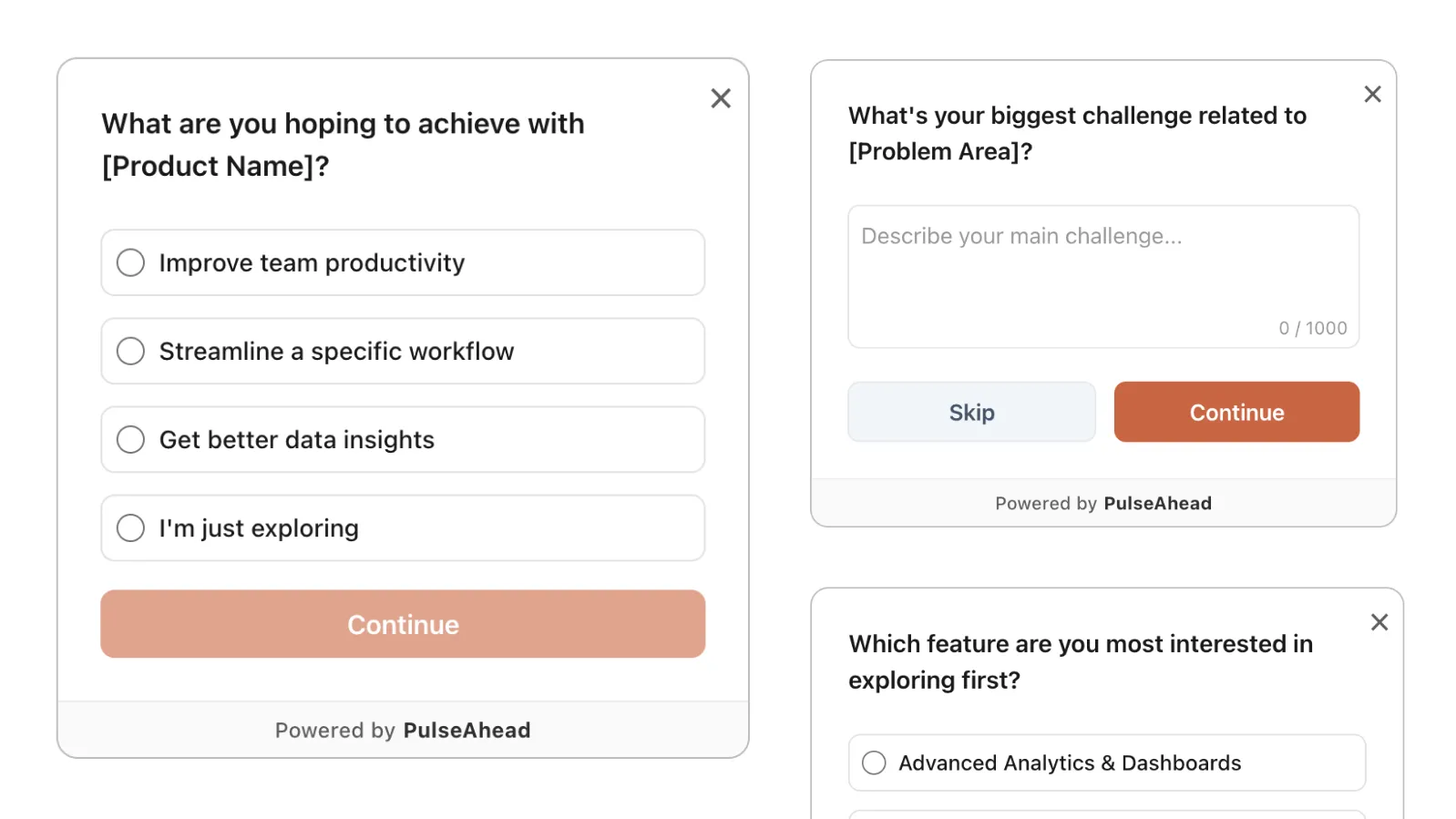
In Pulseahead, each element of a survey is called a step. A survey is a combination of one or more steps — a single-question NPS pulse or a multi-step research flow. You decide.
Built around how
in-product feedback actually works
Conditional logic, native design, precise targeting, and partial response capture — the details that turn a survey tool into a feedback program.
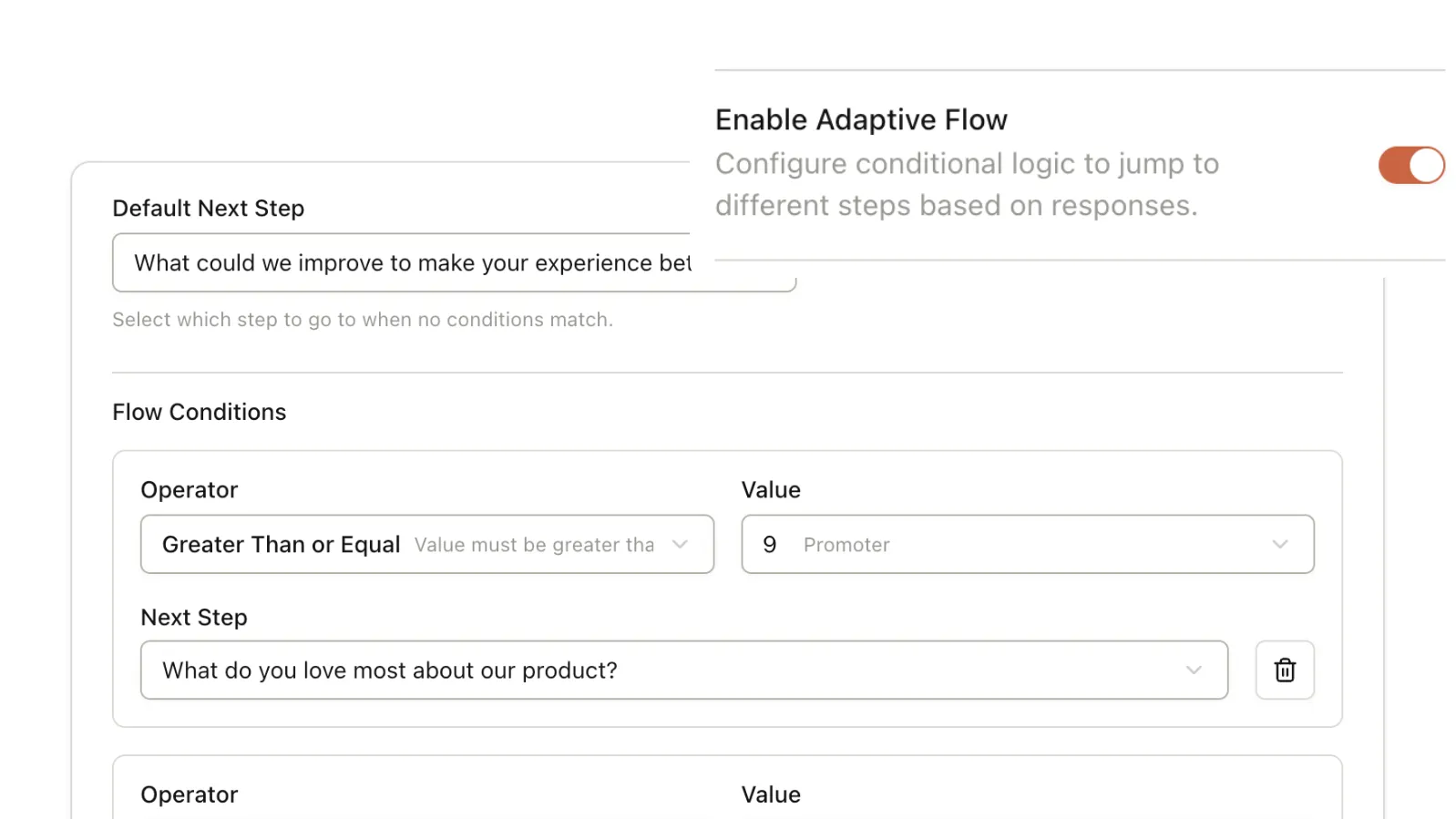
Not everyone should get the same next question
Branch the survey based on how someone responded. A user who rates onboarding 2/5 doesn't get the same follow-up as someone who rated it 5/5. Visual rules — no formulas, no if-then coding.
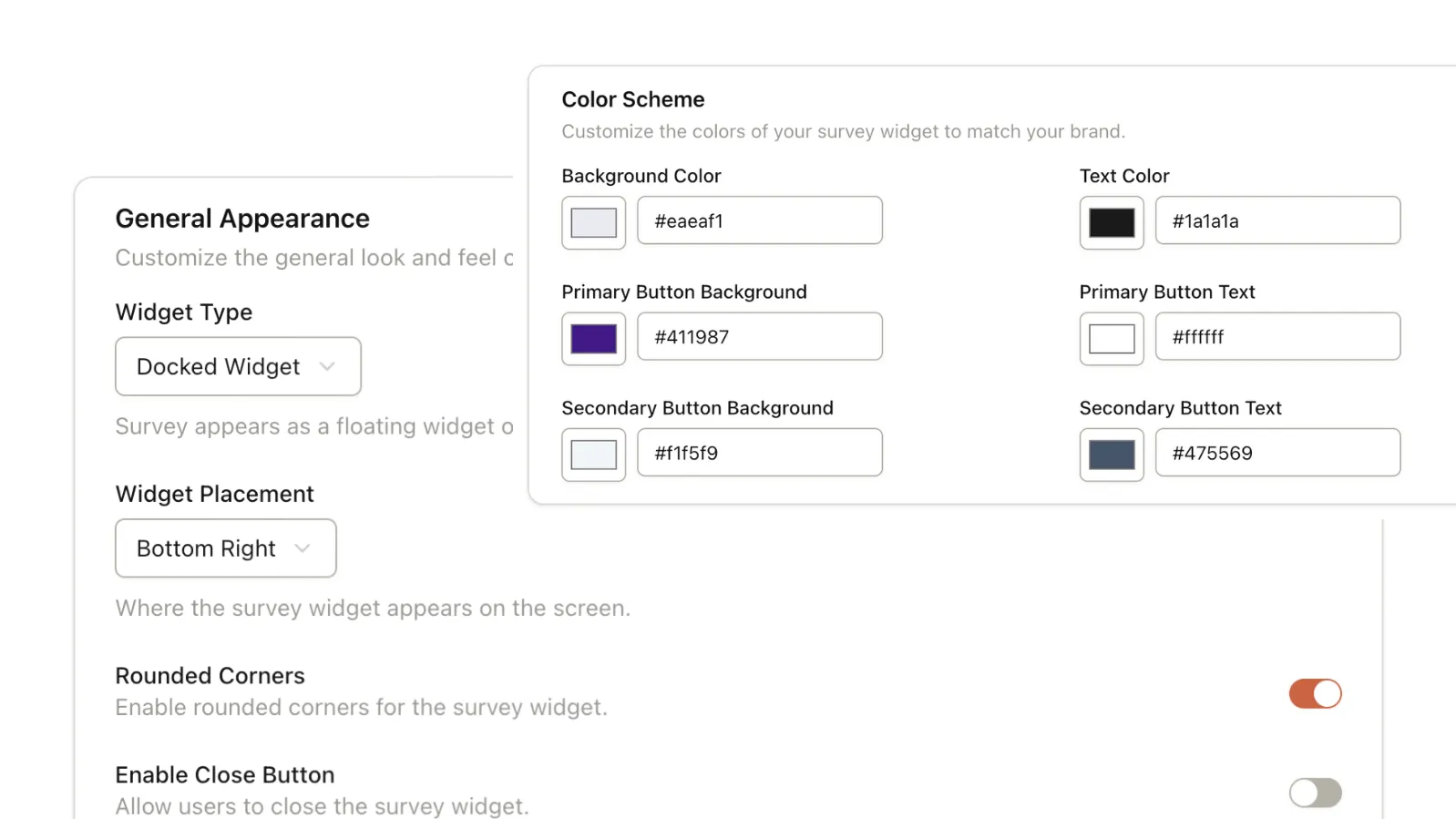
Surveys that look like part of your product
Match brand colors, adjust styling, choose your widget format — docked in a corner, a centered modal, or embedded inline. A widget that looks third-party breaks trust. Pulseahead surveys are built to look native.
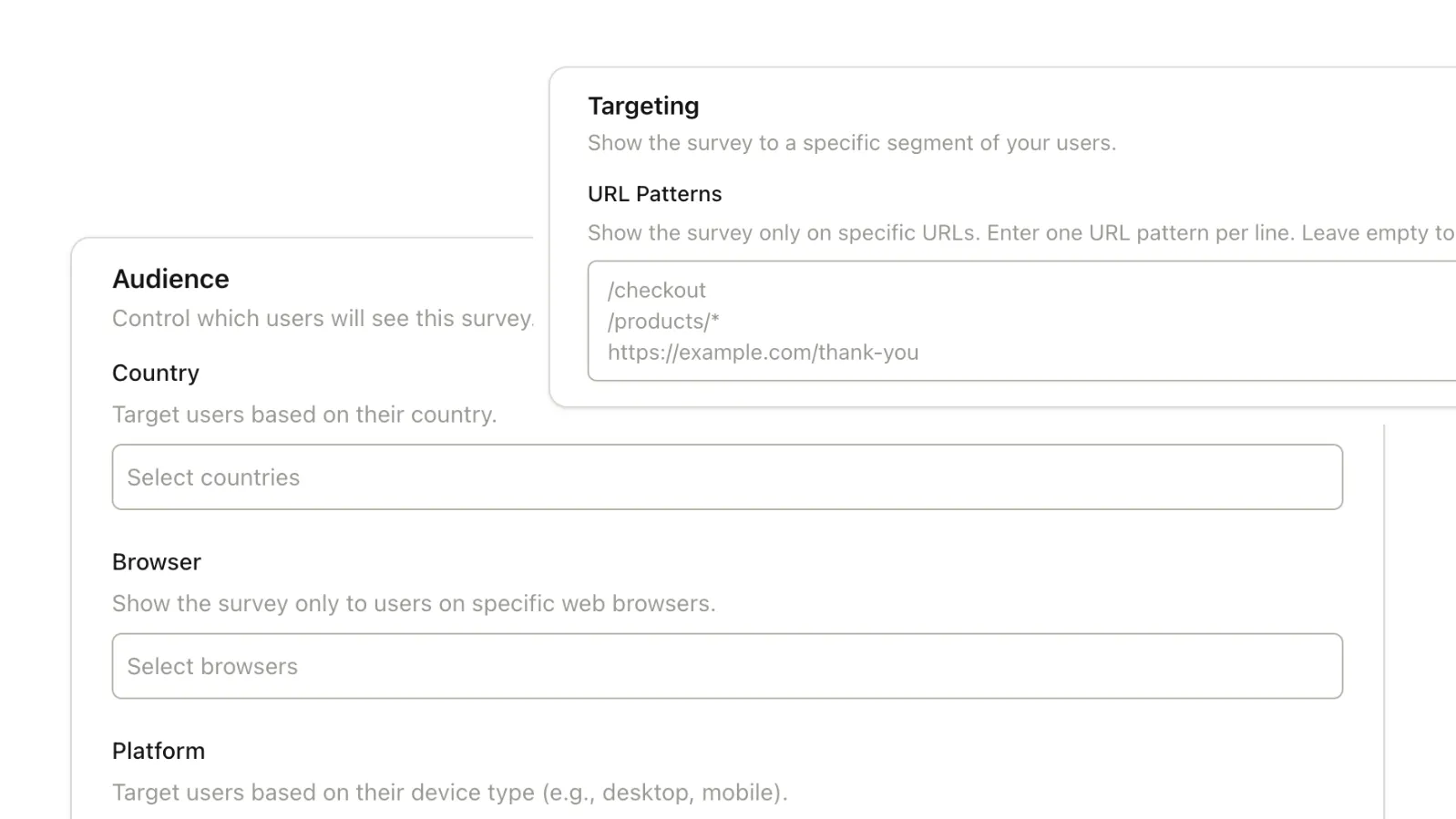
Who sees your survey matters as much as what you ask
Define exactly who sees each survey — by session count, days since signup, URL, device, country, OS, and more. Pass your user ID to the SDK and every response gets tied to a real person, not an anonymous data point.
One question at a time. Every answer captured.
Pulseahead shows one step at a time — no walls of questions. And if a user drops off before finishing, partial responses are saved. Even two questions answered is two data points you can learn from.
If you're building a SaaS product and need
to hear from your users — this is for you
Product Managers
- Ship with evidence, not assumptions
- Reduce wasted engineering effort
- Accelerate feedback-to-build loops
User Researchers
- Research without developer tickets
- Target users at the moment of action
- Scale in-product qualitative research
Growth Managers
- Identify friction before users churn
- Optimize activation with raw feedback
- Map sentiment across the funnel
Founders
- Measure PMF without manual surveys
- Uncover the 'why' behind metrics
- De-risk your product roadmap
Your users are ready to tell you what they think.
Are you ready to ask?
Start free. No credit card. Your first survey can be live in under 10 minutes.
Common Questions
Answers to the questions SaaS teams ask before getting started with Pulseahead.
Do I need engineering involved every time I change a survey?
No. Engineering's only involvement is the one-time script install. After that, every survey you create, edit, target, and publish is entirely self-serve — PMs, researchers, and founders can make changes without filing a ticket.
What are 'steps' and how are they different from questions?
In Pulseahead, each element of a survey is called a step. Steps can be question steps (NPS, rating, choice, open text) or non-question steps (thank you notes, message boxes, call to action). A survey is a sequence of one or more steps.
What question types are available?
NPS (0-10), Long Text (open-ended), 5-Point Rating (smiley faces or stars), Choice Question (single or multiple select), Thank You Note, Message Box (static info with links), and Call to Action. More types are on the roadmap.
Can I use conditional logic to show different questions to different users?
Yes. Pulseahead's adaptive flow lets you branch the survey based on any response. If a user rates onboarding 2/5, show them an open text follow-up. If they rate it 5/5, skip ahead to a CTA step. Logic is configured visually without any formula, or if-then coding.
Is there a preview mode before I go live?
Yes. The builder includes a live preview that shows exactly what your users will see across different widget formats (docked, modal, embedded) and screen sizes (desktop, mobile). You can test the full logic flow before publishing.
What happens if a user doesn't finish the survey?
Partial responses are saved. If a user answers two questions and then closes the widget, those two answers are captured in your dashboard. You don't lose data just because they didn't reach the end.