
Define when, where and how often your feedback surveys appear
Set triggers based on URL, device, country, days since signup, number of sessions and more — with frequency controls that protect your users from survey fatigue.
No credit card required · All trigger types included
Every rule you need —
configured without code
Three categories of trigger rules, each configurable through the Pulseahead dashboard. No JavaScript required for most use cases — SDK triggers available for custom moments.
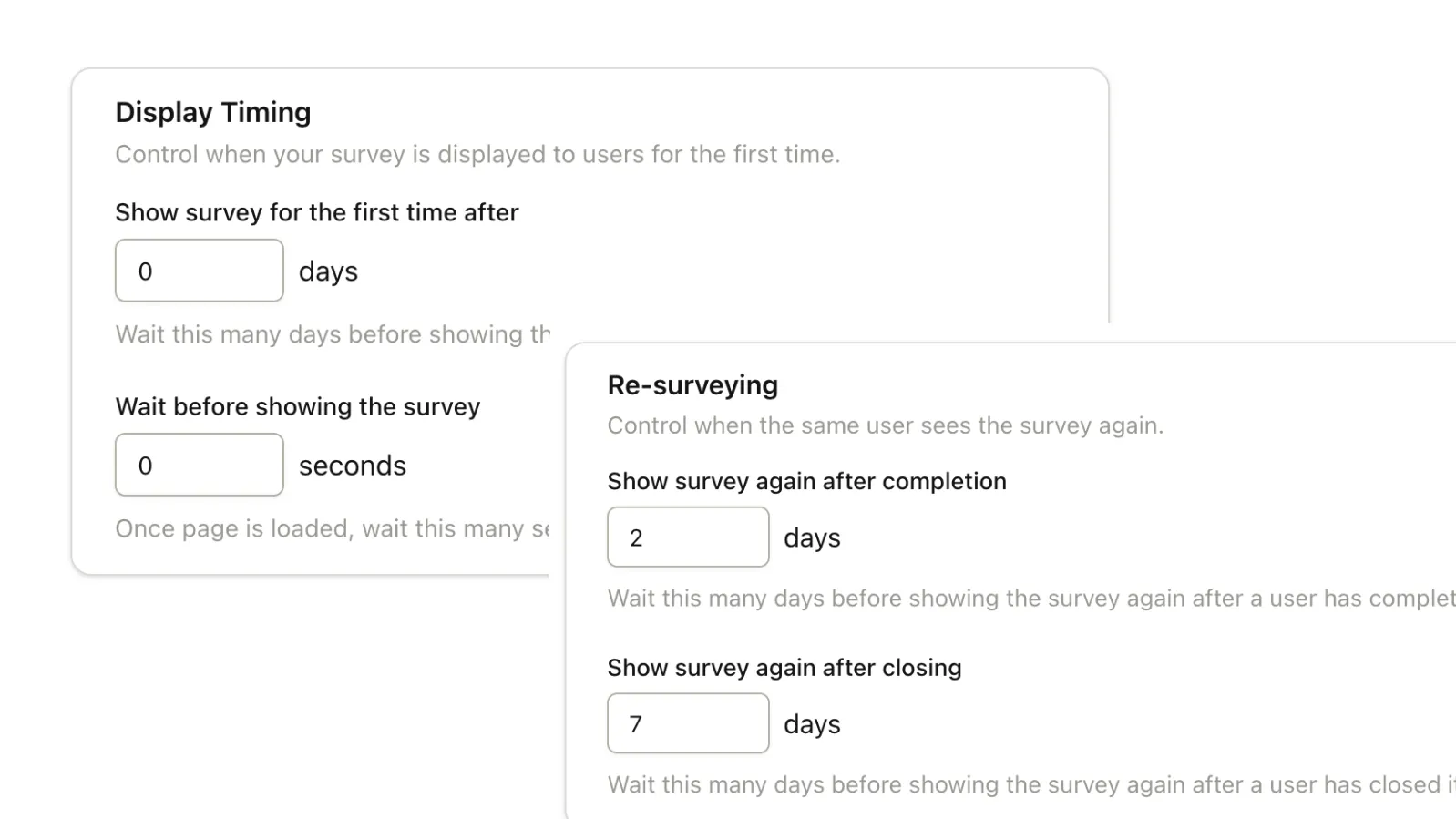
- Days since signupShow PMF survey on Day 14
- Session countShow NPS after 5th session
- Time on pageAsk after 60 seconds on the feature page
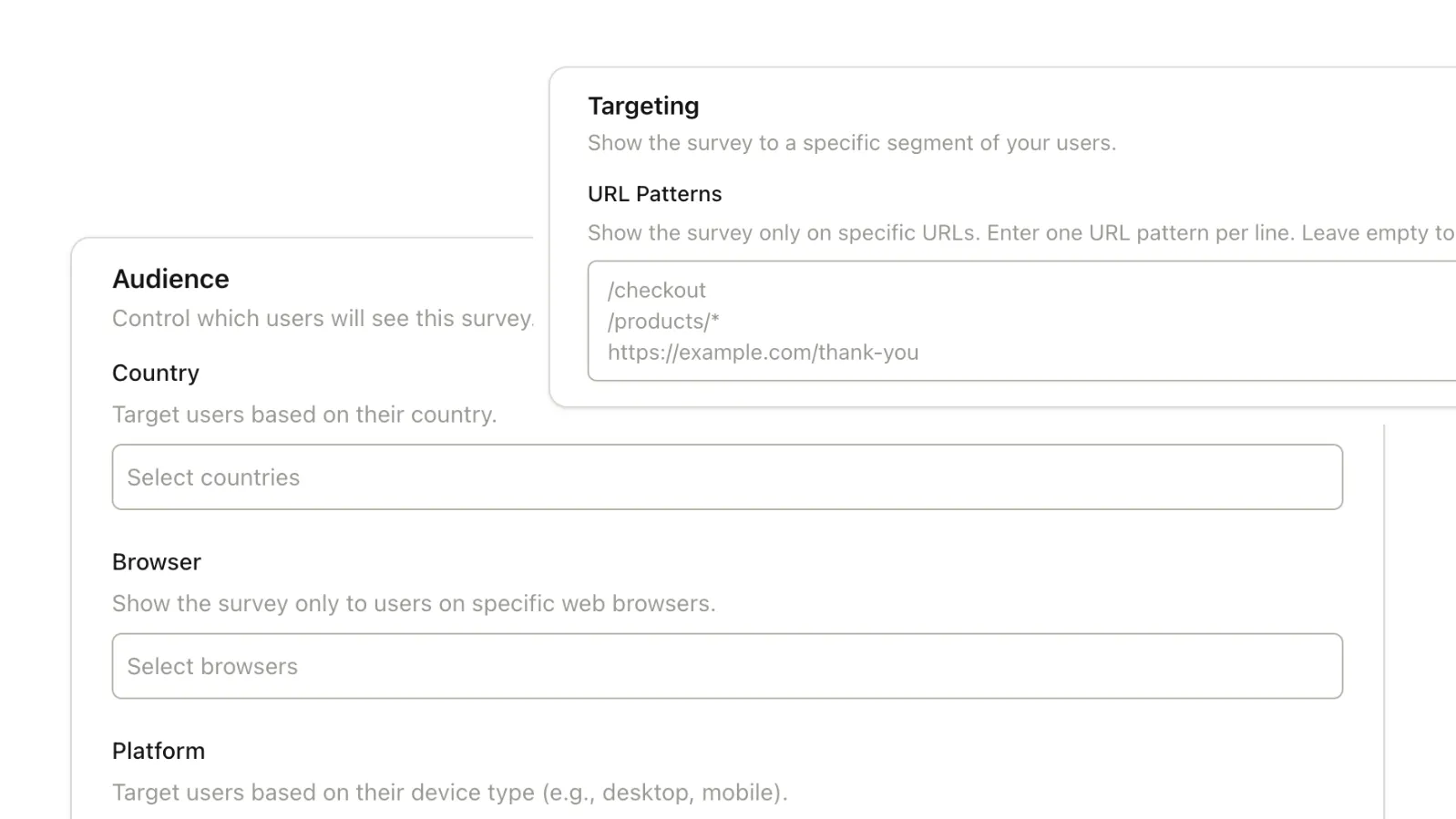
- URL matchShow feedback when user visits /settings/billing
- URL negationShow on all pages except /checkout/success
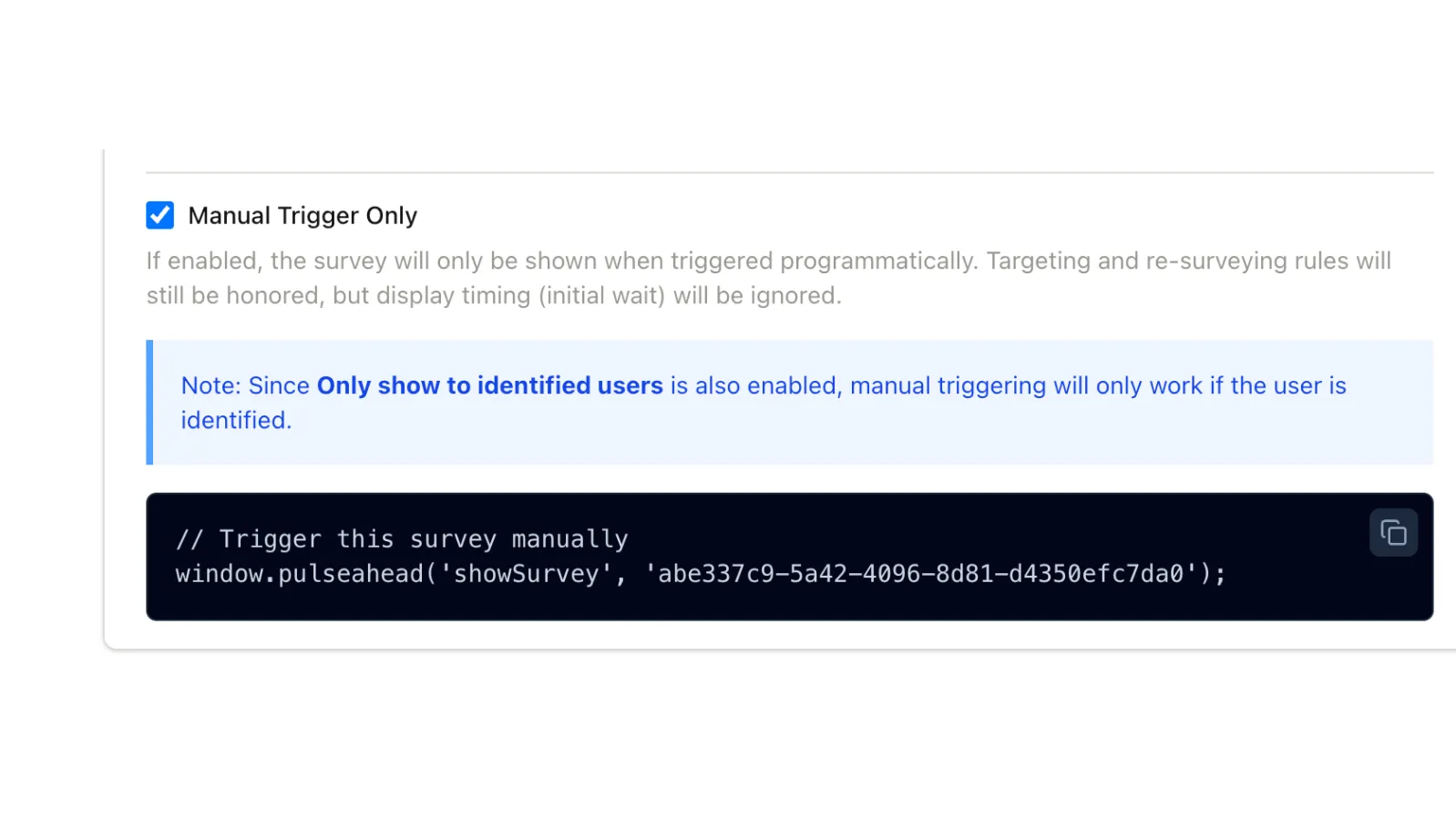
- SDK manual triggerDevelopers trigger from code at specific moments
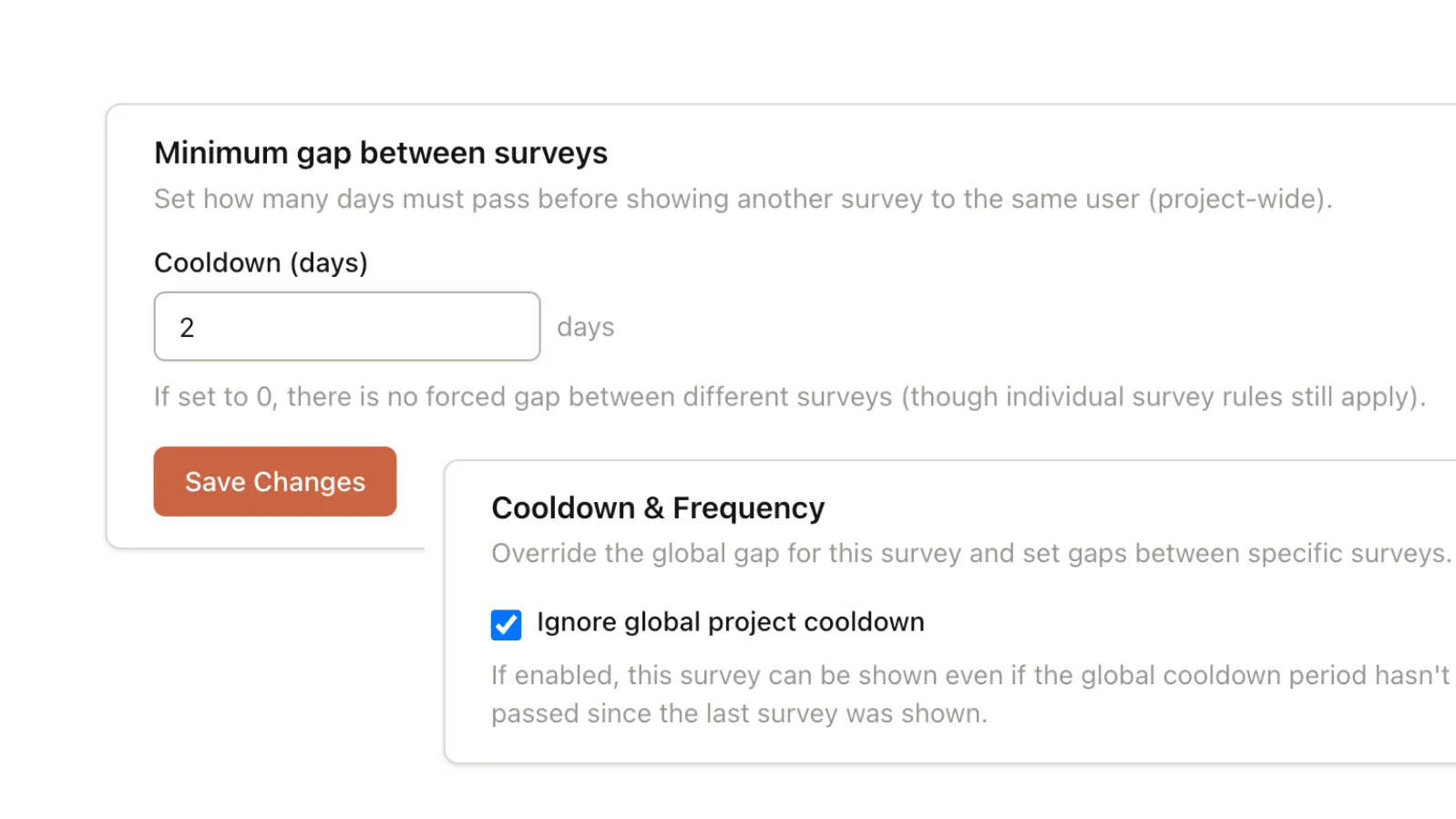
- Per-survey repeat delayUser can only see this survey once every 90 days
- Global cooldownNo user sees any survey within 7 days of another
- One-time displayShow exactly once — never repeat for the same user
Precise targeting,
without building it yourself
Time-Based Triggers That Know the SaaS Journey
Days since signup, session count, and inactivity thresholds map directly to SaaS lifecycle stages. Configure a PMF survey to appear at Day 14. Set NPS to trigger after the 5th session. No custom events required.
Advanced URL & Page Targeting
Control exactly where surveys appear with support for exact matches, wildcards (/*), and URL negation. Combined with time-on-page and session milestones, you can ensure surveys appear exactly where they make sense for the user.
Frequency Caps and Global Cooldowns
Set per-survey repeat delays and a global cooldown window that applies across all surveys. If a user just answered one survey, Pulseahead waits before showing them another — regardless of which survey fires next.
Manual Triggers via the JavaScript SDK
Developers can programmatically display any survey using Pulseahead's SDK. Useful for triggering surveys at application-controlled moments — post-onboarding completion, after a transaction, or on any state your code detects.
Stop sending surveys to everyone.
Start targeting precisely.
Define who sees each survey and when — time-based, behavioral, or event-driven. No engineering after initial setup.
Common Questions
Everything you need to know about survey triggers and targeting in Pulseahead.
Can I show a survey after a specific user action in the product?
Yes, using the Pulseahead SDK. Developers can programmatically trigger any survey to appear at a specific moment in your code — such as after a user completes a setup wizard or reaches a certain page. This gives you absolute control over the timing for complex user flows that aren't purely URL-based.
Can I trigger based on days since signup or number of sessions?
Yes — both are built-in trigger conditions that don't require custom event setup. Pass the user's signup date when you initialize Pulseahead, and session count is tracked automatically. These map directly to SaaS lifecycle stages without any custom instrumentation.
How do I prevent over-surveying users?
Two layers: per-survey frequency caps (e.g., a user can only see this survey once every 30 days) and a global cooldown (e.g., once a user sees any survey, they won't see another for 7 days). Both are configurable. The global cooldown applies across all surveys regardless of which one fired first.
Can developers trigger surveys manually from code?
Yes. The Pulseahead JavaScript SDK exposes a method to display any survey by its ID, on demand. Developers can call this at any moment the application controls — after onboarding completion, after a purchase, or at any state transition. This is in addition to, not instead of, the rule-based targeting.