
Collect in-product feedback and tie every response to a real user in your system
Survey logged-in users inside your product and connect every response to a user ID from your own system — so you always know exactly who said what.
Email surveys average 3-5%. In-product surveys meet users at the moment of relevance — not in their crowded inbox.
No credit card required · One-time script install
Context is the reason response rates
are dramatically higher in-product.
The difference isn't the tool — it's the moment. In-product surveys ask questions when the experience is current. Email asks questions when the experience is a memory.
The user just did the thing. The question is relevant right now. There's no inbox to check, no email to open, no memory required.
The user sees the email later — if it doesn't go to spam. By then, the experience is less fresh and the motivation to respond is lower.
Users don't remember enough to give useful responses. The result is vague, unactionable data that doesn't reflect what's actually happening.
Engineering's job takes
about 15 minutes. Once.
One install. Pass user identity. Done. Every survey after that is published directly from the Pulseahead dashboard — no code, no deployment, no tickets.
Add the script tag
Paste one JavaScript snippet in your product's head or body. Works with React, Vue, Angular, or any other framework.
Pass your user's ID
Initialize Pulseahead with your logged-in user's identifier.
Go live from the dashboard
Every survey from this point on is published directly from Pulseahead — no code changes, no deployment, no tickets.
Everything you need to collect feedback
inside your product
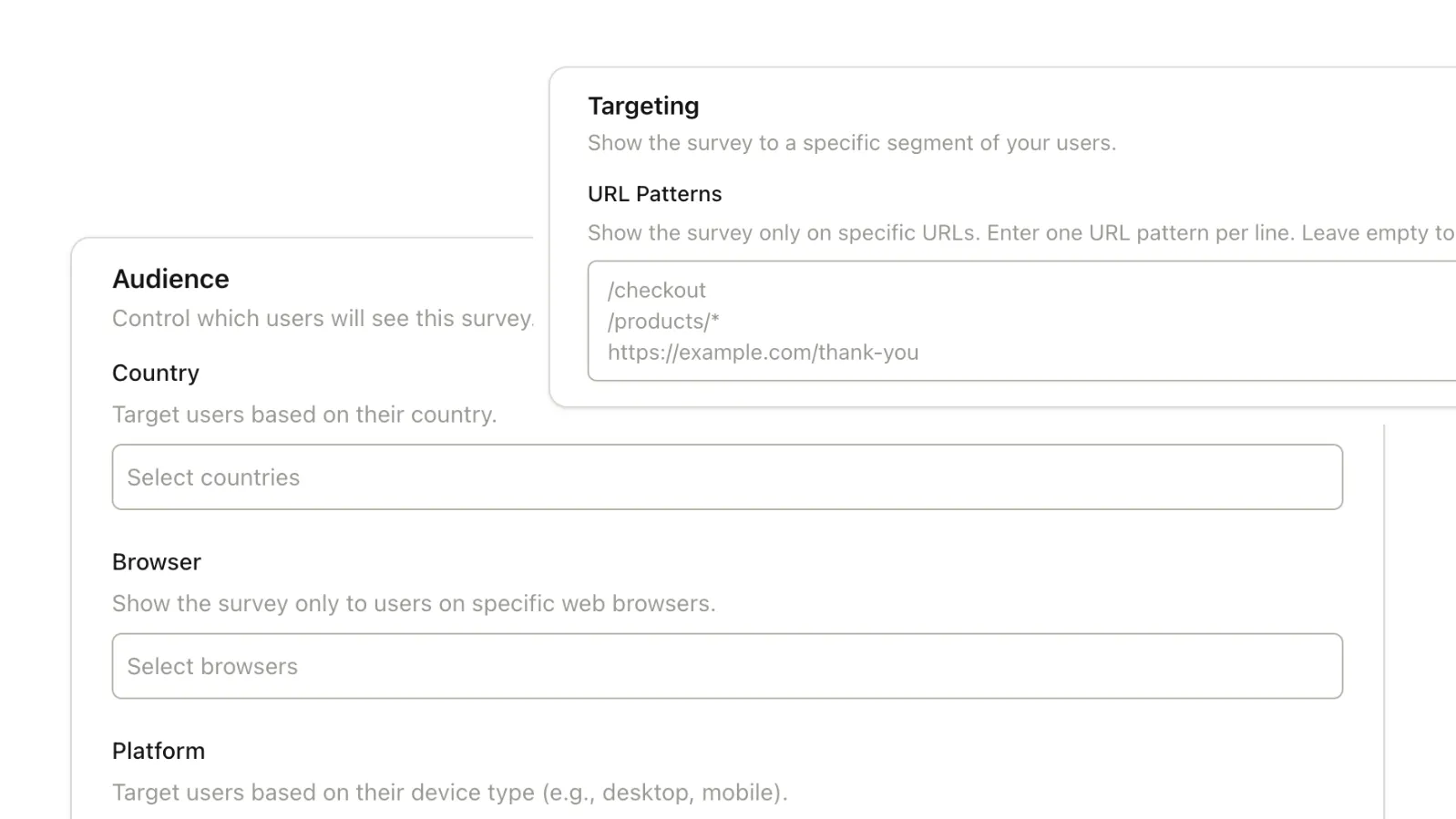
Target by Page, Session Count, and Days Since Signup
Show surveys on specific URLs, after a minimum number of sessions, or after a set number of days since account creation. All configurable without code — just pick your rules and save.
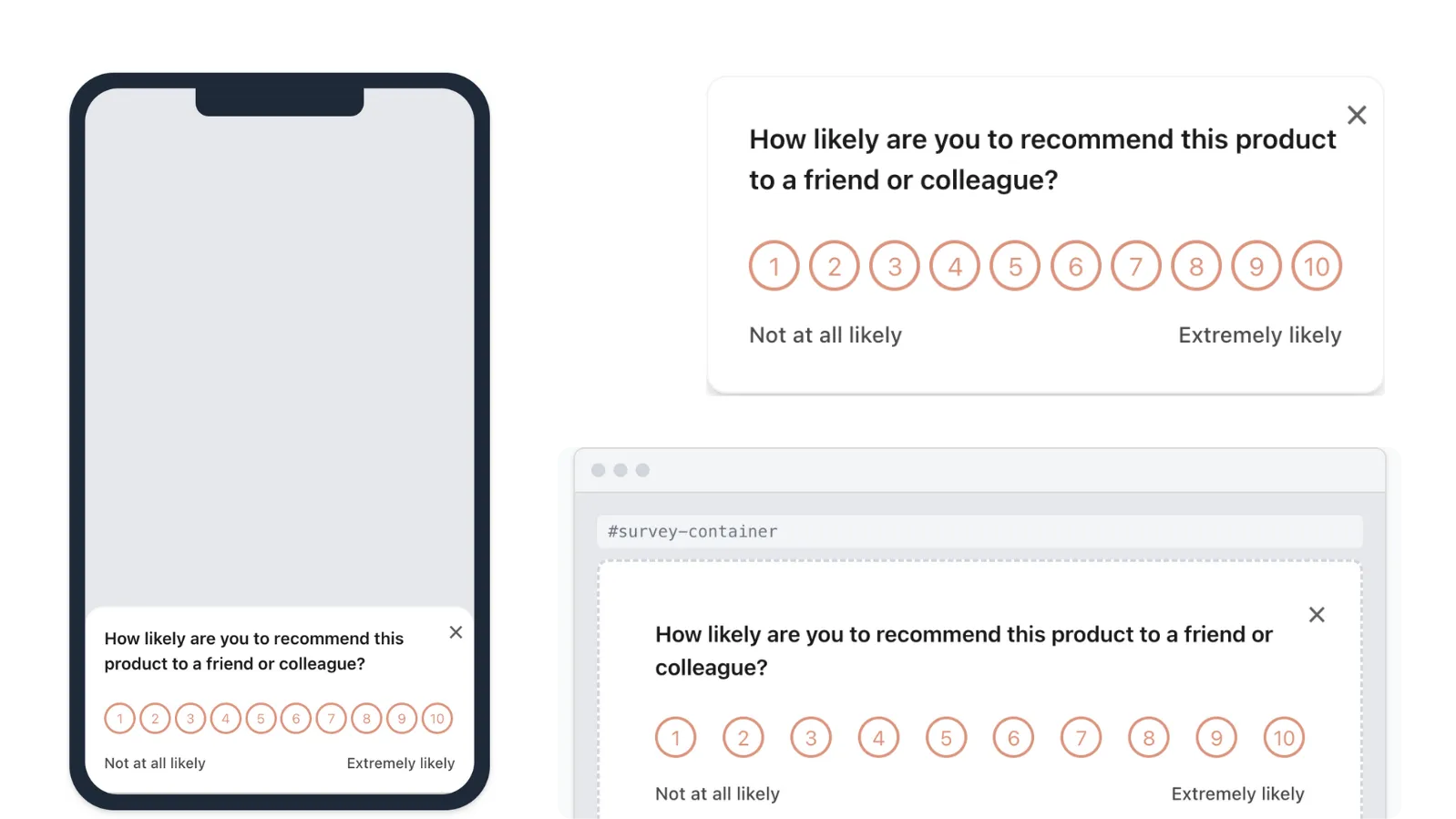
Docked Widget, Inline Embed, or Modal
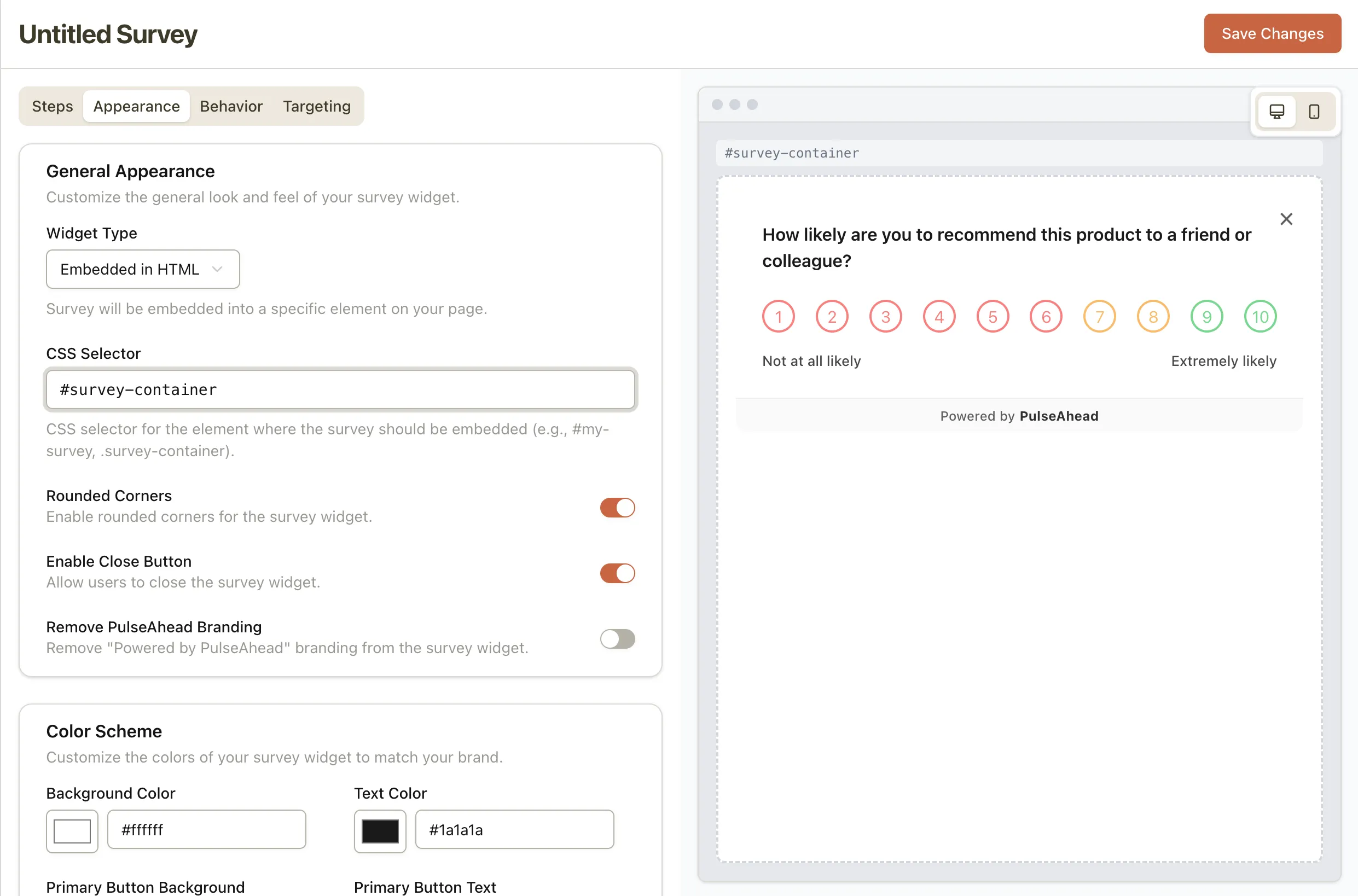
Three display formats to fit any layout. Docked widgets stay in a corner without blocking your layout. Modal surveys center on the screen for maximum visibility. Inline embeds feel completely native inside your page. Each format is styled to match your product's UI.
Start capturing contextual feedback
inside your product.
One script install by engineering, then every survey is self-serve. Set up your first in-product survey in under 10 minutes.
Common Questions
Everything you need to know about in-product surveys in Pulseahead.
How does the survey appear to users?
Three display options: (1) Docked widget — anchors to a corner. (2) Inline embed — renders inside your HTML at a location you specify. (3) Modal — appears centered on the screen when triggered, highest visibility. Each format uses your brand colors and styling.
Will it slow down or disrupt the user experience?
No. Pulseahead is loaded asynchronously and never blocks page rendering. The embed is lightweight, runs only when surveys are triggered, and is designed to have negligible impact on performance or core product flows.
How do I install it? Is it really just one script?
Yes. One JavaScript snippet added to your product, plus a call to identify the current user with their ID. That's the only engineering work required. All future surveys deploy through the Pulseahead dashboard with no additional code changes.
Can I control which page or screen the survey appears on?
Yes. You configure URL targeting rules per survey — exact URLs, URL patterns, subpaths, or regex matching.
Why are in-product response rates higher than email surveys?
In-product surveys reach users while they're actively engaged with your product. The question is contextual and immediate — users haven't had to remember their experience or act on it from their inbox. The moment of asking is also the moment of relevance. That's the primary driver of higher completion rates.