
The customer feedback platform built for SaaS.
Run NPS, PMF, welcome, and micro-surveys inside your product. Reach the right users. Surface recurring themes automatically.
Explore
Build better surveys
Start with SaaS templates, then add adaptive flows for NPS, PMF, onboarding, ratings, and open text.
Explore
Ask in context
Show surveys by URL, sessions, signup age, user attributes, SDK triggers, and cooldowns.
Explore
Spot recurring themes
Use tags and sentiment to sort written feedback and catch repeated requests, complaints, and blockers.
Behavior shows what.
In-product feedback explains why.
Email surveys get ignored, interviews don't scale, and analytics stop at behavior. In-product surveys capture feedback in the moment - turning user signals into clear, actionable decisions.
Context Beats Recall
Ask at the moment that matters
Feedback given in the flow of the product is more accurate than responses collected days later. You get clearer intent and more reliable answers while the experience is still fresh.
Speed Beats Ceremony
From insight to impact in hours
Continuous in-product signals replace slow research cycles. Spot issues early, validate ideas faster, and iterate without waiting weeks for feedback.
Signals Beat Silence
Hear from users who don't reach out
Most users won't contact support - but they will answer a quick, well-timed question. Capture feedback from the silent majority before it turns into churn.
Everything you need to collect, understand, and act on
in-product feedback
From precise targeting and smart triggers to flexible design and deep analysis, Pulseahead gives you a complete system to collect feedback at the right moment and turn it into action.
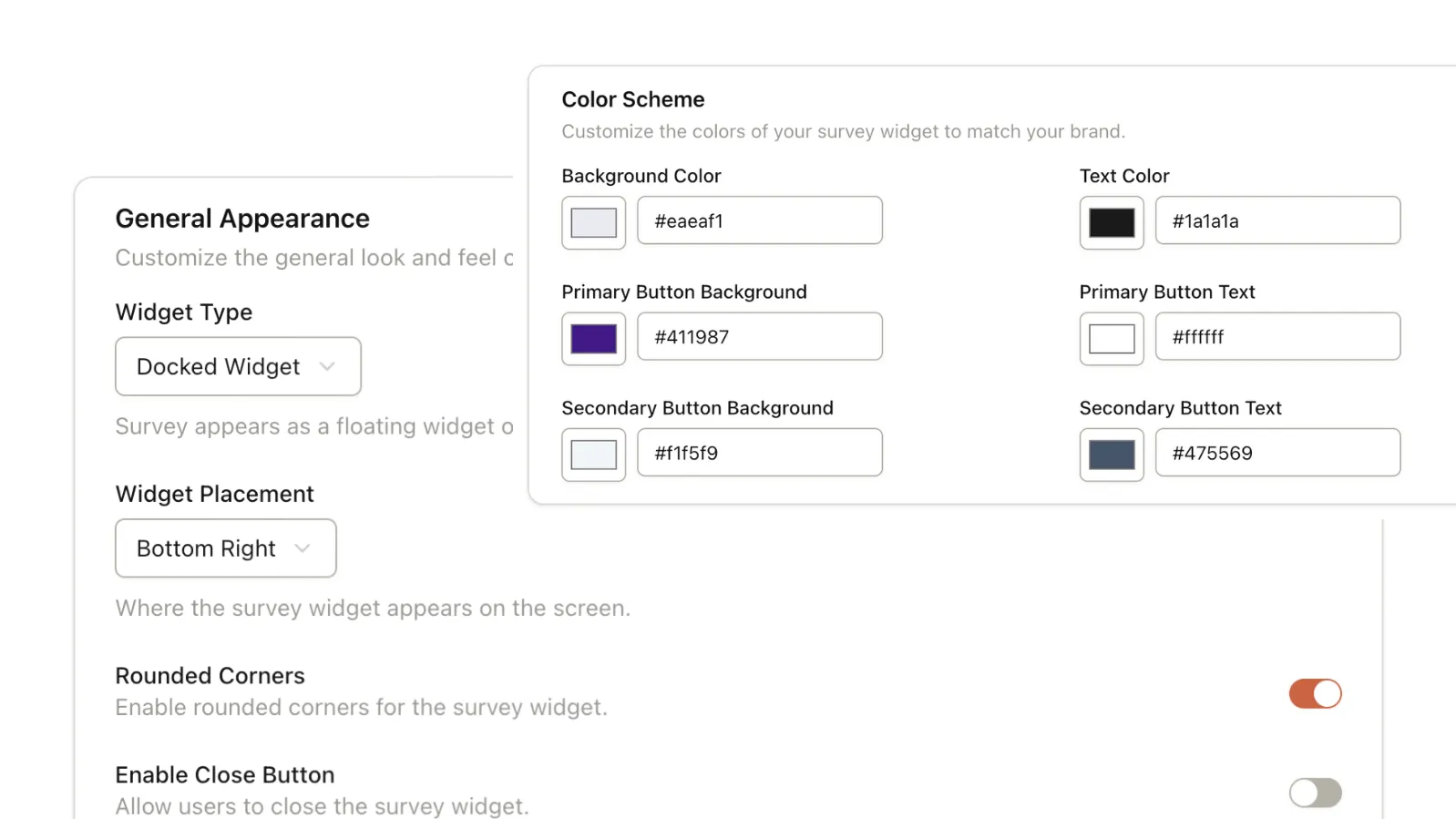
Your Brand, Your Survey
Fully customize the look and feel to match your product. Control colors, fonts, widget types, and placement with pixel-perfect precision.
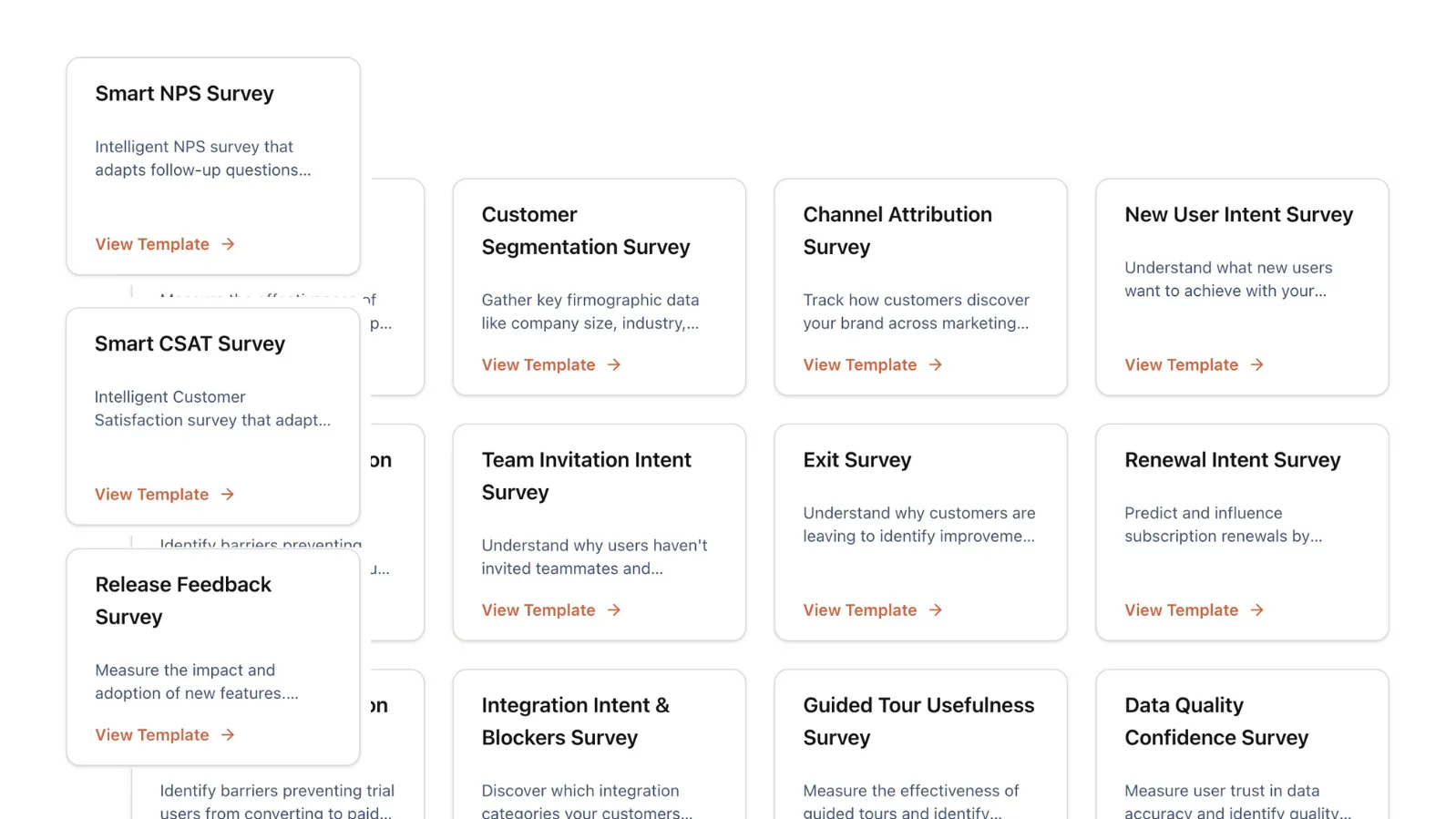
Launch in Seconds with Proven Templates
Don't reinvent the wheel. Choose from 20+ templates for use cases like NPS, CSAT, PMF, and more to start collecting feedback instantly.
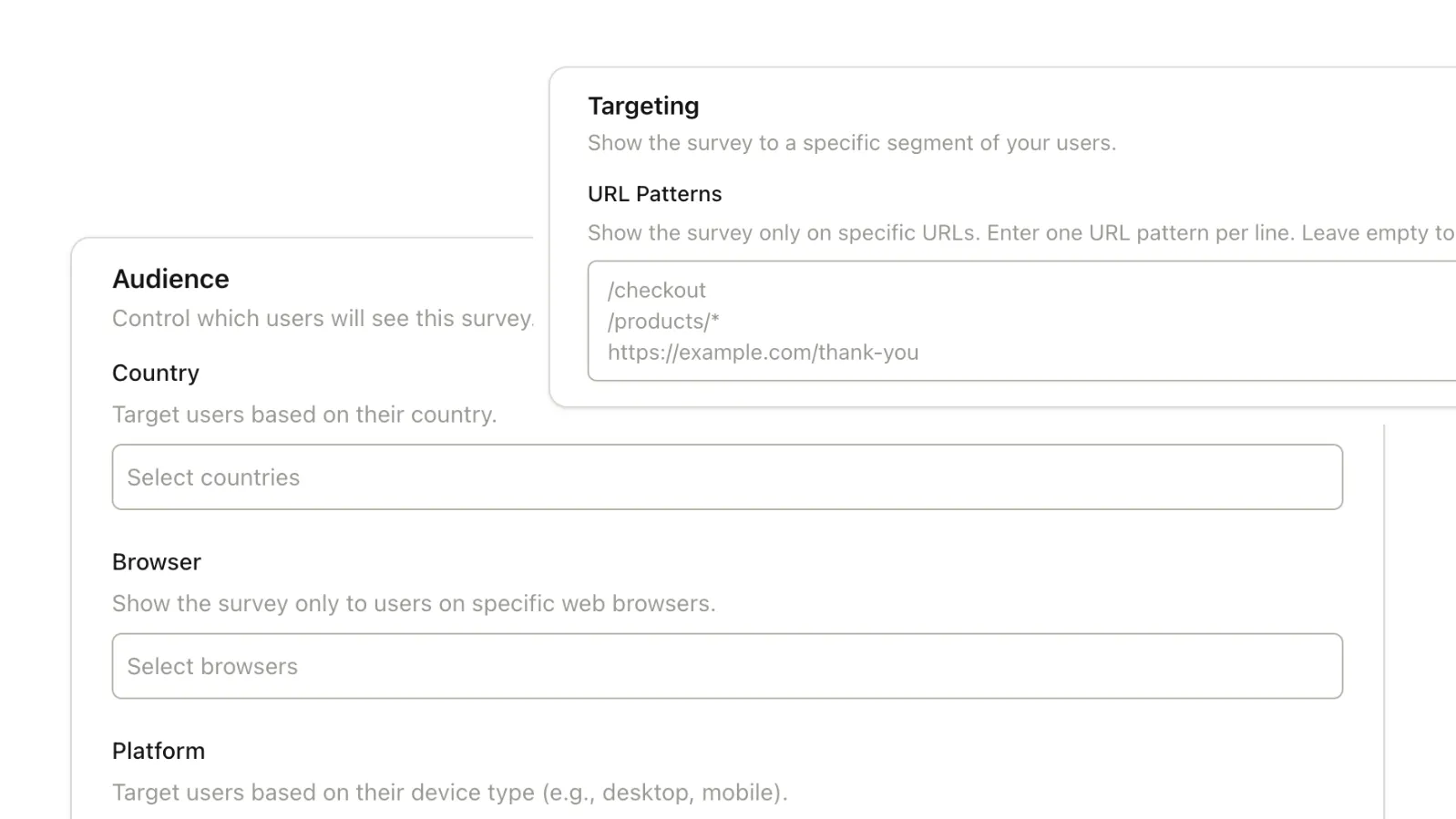
Reach the Right Users
Target surveys based on user device, browser, operating system, or URL. Ensure you're asking the right questions to the right people.
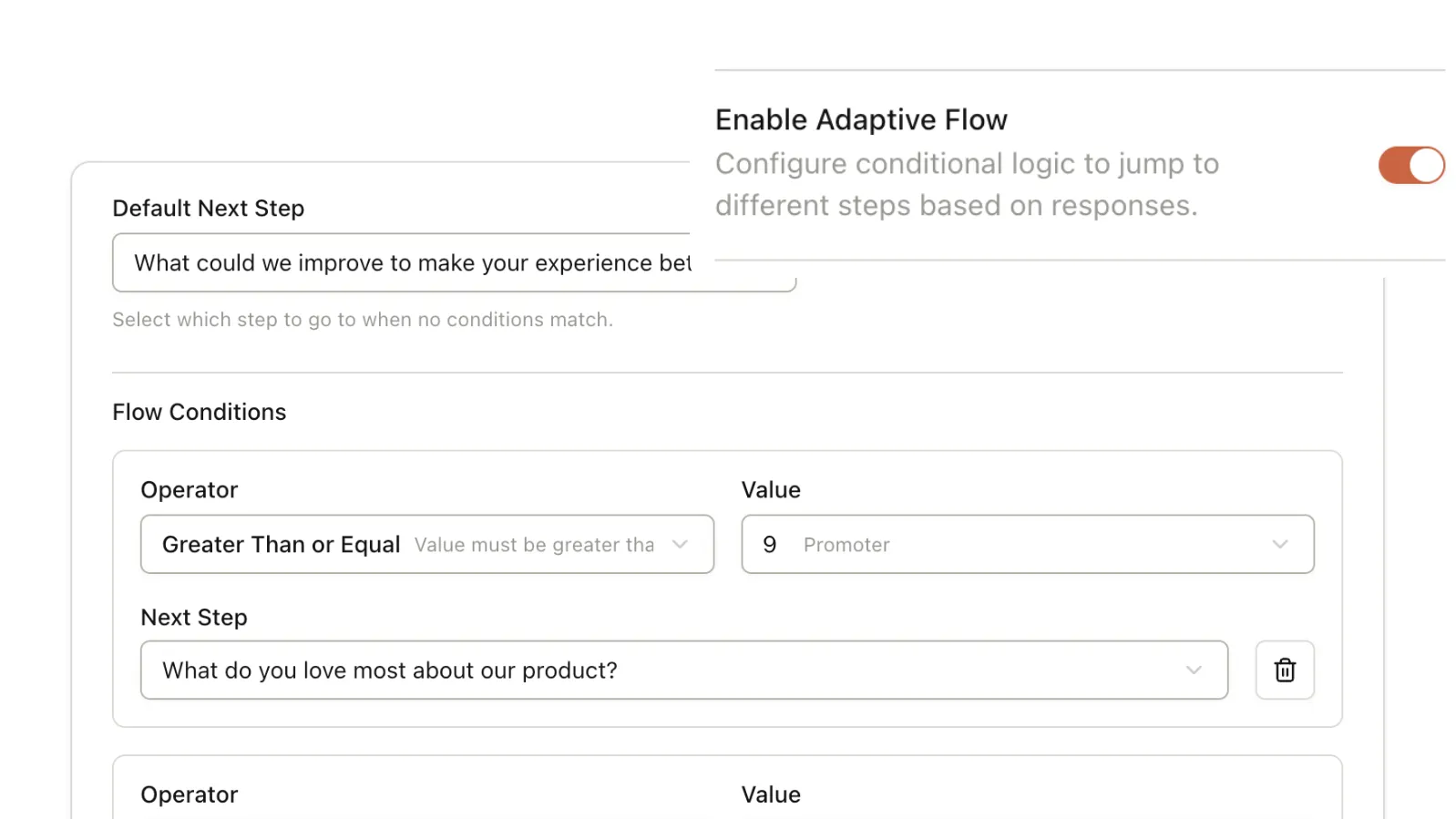
Adaptive Question Flows
Create conversational experiences with response-based logic. Skip irrelevant questions and dive deeper based on user answers.
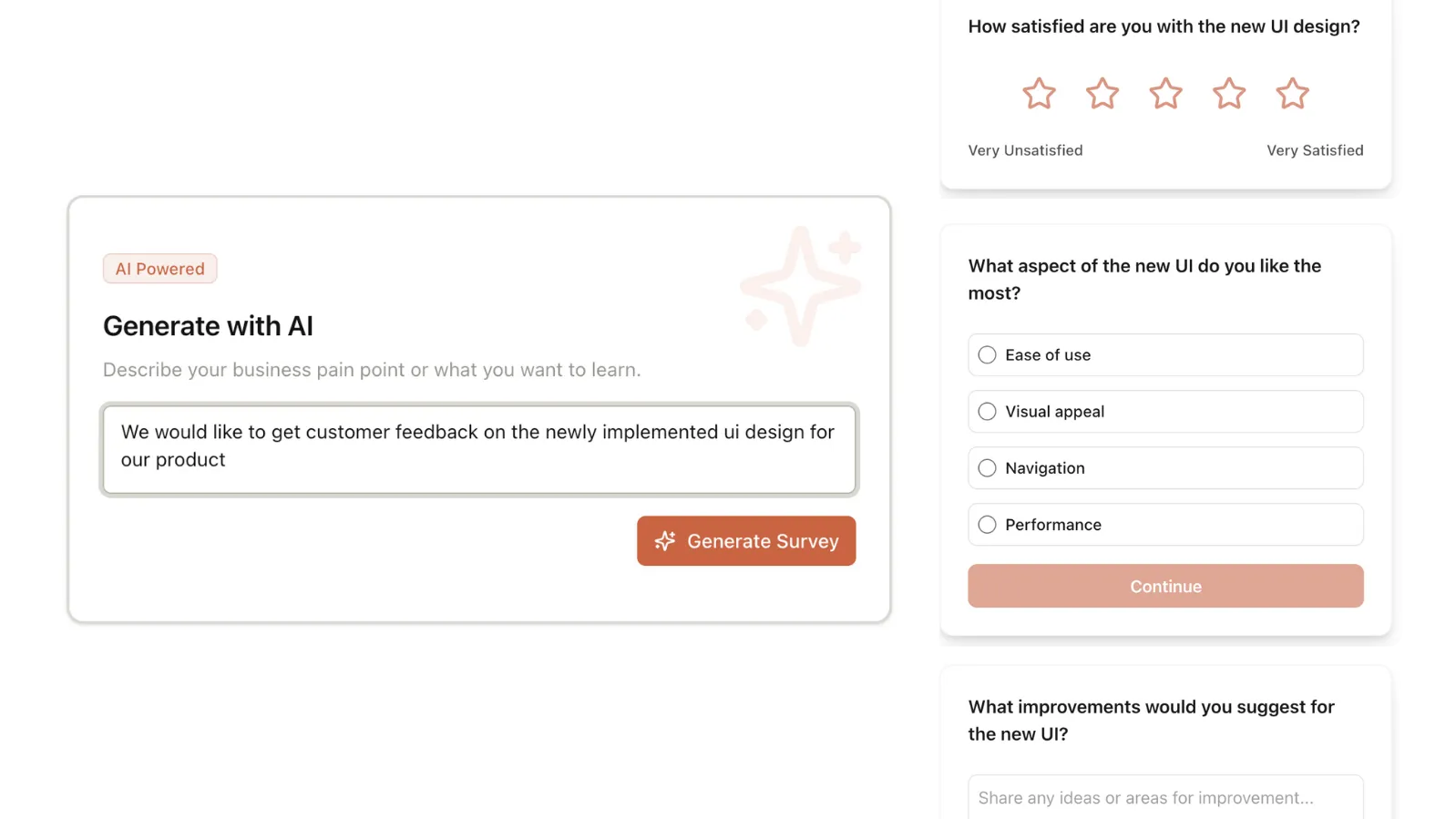
AI-Powered Creation
Go from idea to launch in one click. Describe your goal, and let our AI generate the perfect survey structure and questions for you.
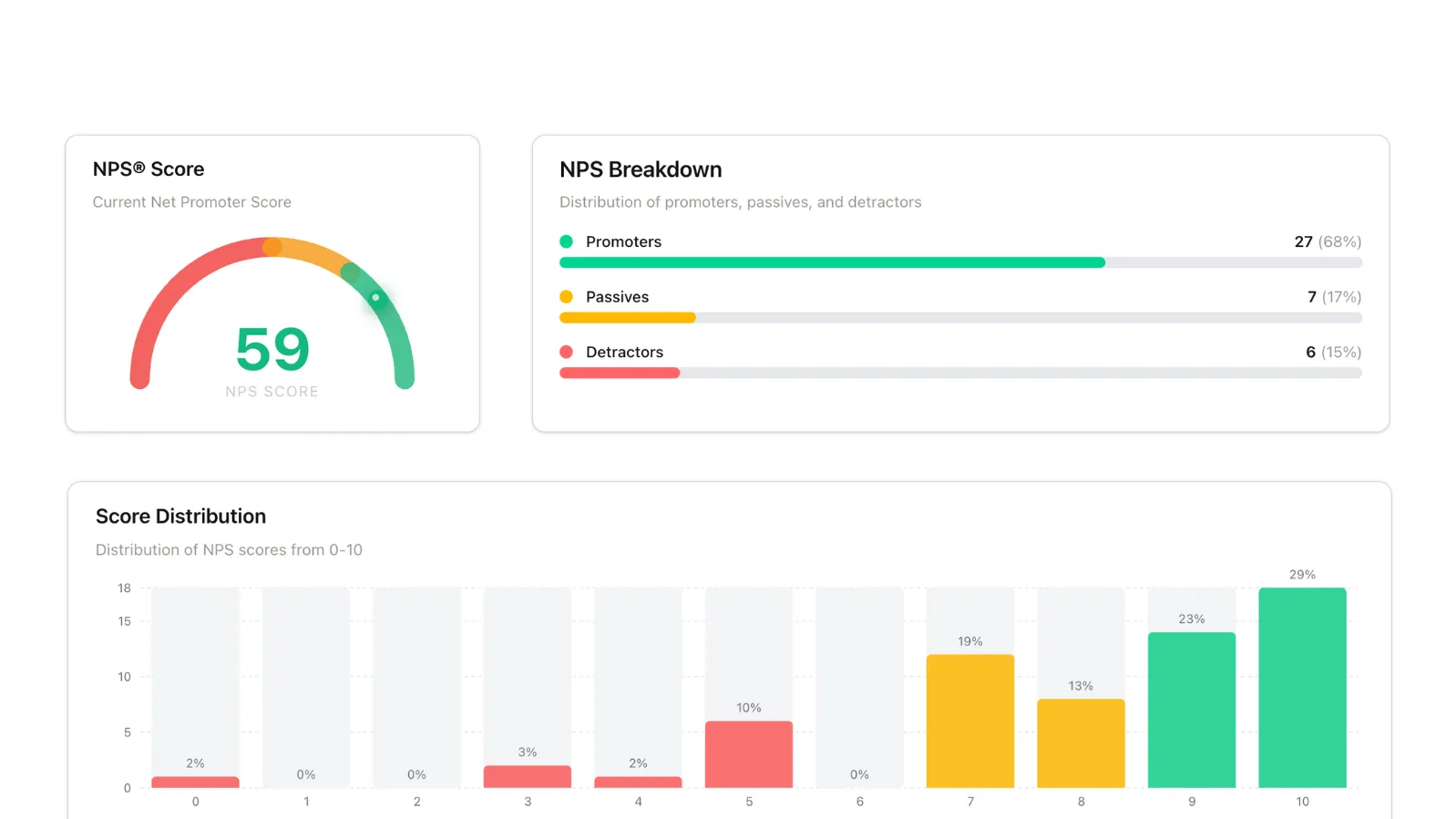
Insights, Not Just Data
Visualize feedback with beautiful, real-time dashboards. Spot trends, analyze sentiment, and make data-driven decisions faster.
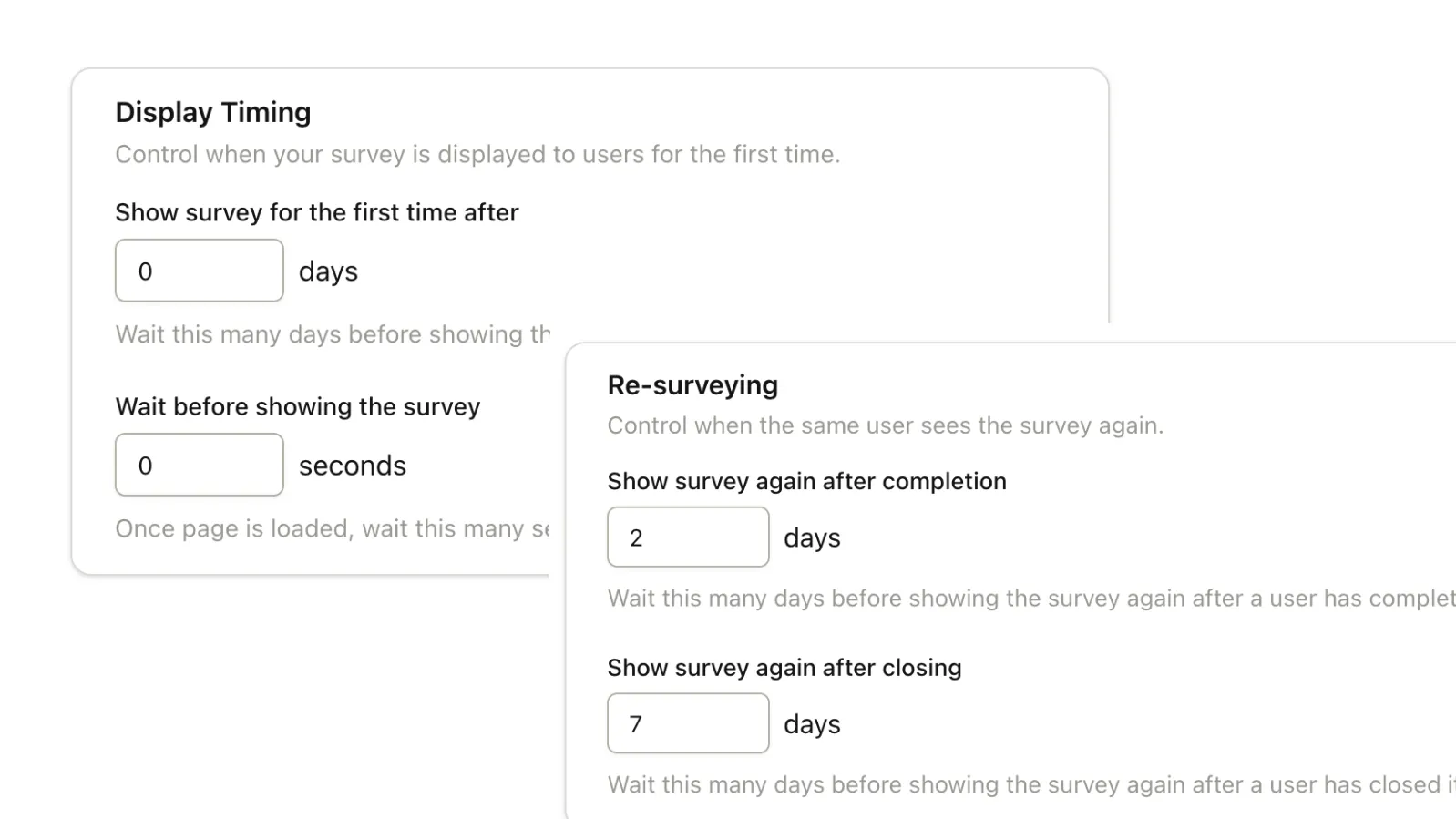
Smart Triggering
Capture feedback at the perfect moment. Set initial delays, recurrence rules, and behavior-based triggers to maximize response rates.
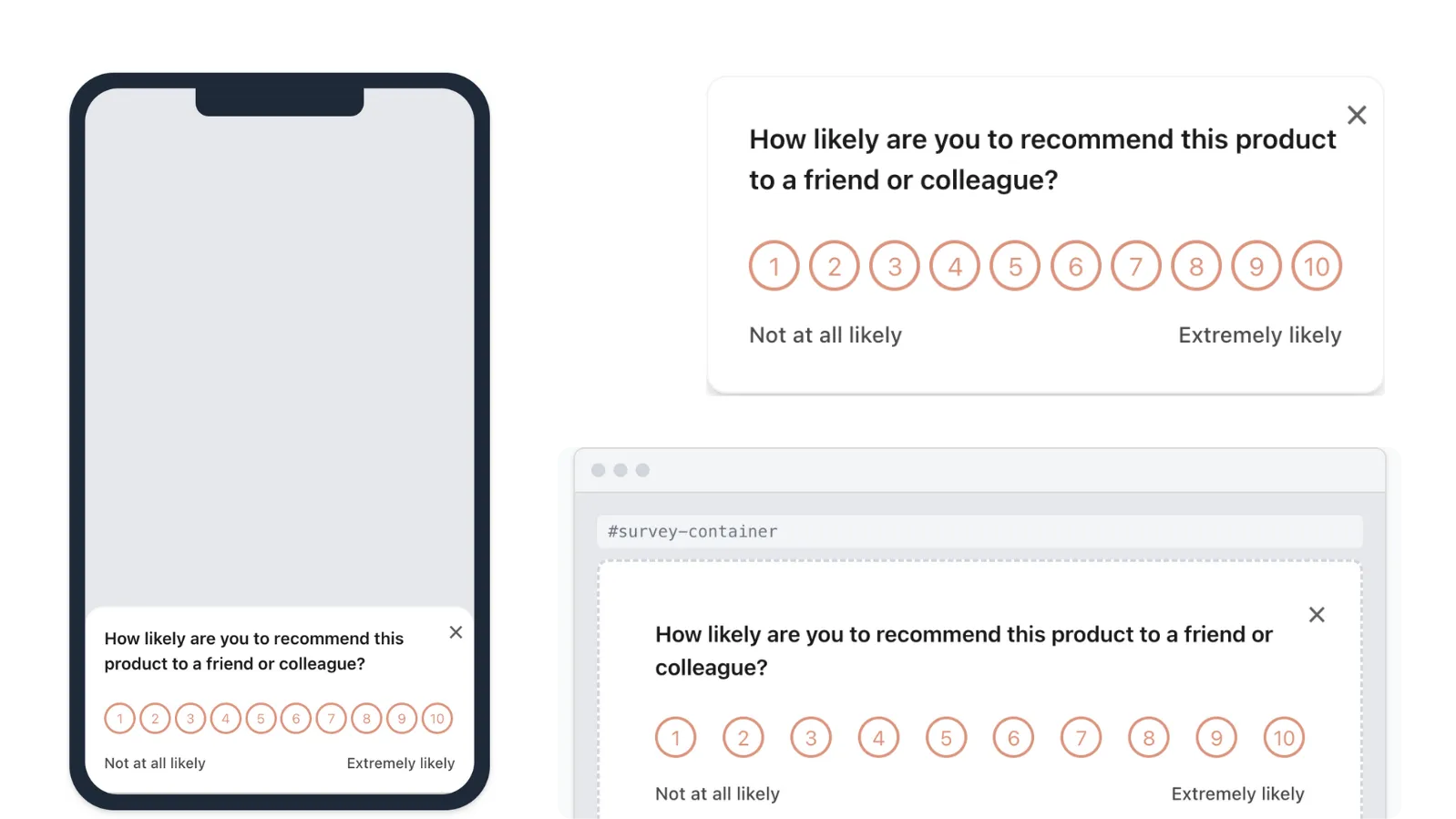
Seamless on Web & Mobile
Engage users wherever they are. Display surveys as docked widgets, as a centered modal, or embedded directly in your HTML — all with seamless mobile web support.
Surveys for every stage of the
customer lifecycle.
Launch targeted surveys in minutes with our template library. Go from question to actionable insight in record time.
Reduce Churn & Increase Retention
Stop customers from leaving and build lasting relationships
Improve Conversion & Onboarding
Turn trials into paid customers and accelerate time-to-value
Drive Product Adoption
Increase feature usage and maximize product engagement
Understand & Grow Customers
Measure satisfaction, discover new opportunities, and expand accounts
Scale Globally
Expand internationally with confidence through localization insights
Explore All Templates
Browse our full library of survey templates for every use case. Find exactly what you need.
Stop paying for heatmaps and session replays
just to run surveys.
Surveys are often locked inside complex product suites alongside session replays and analytics most teams don't need. Pulseahead gives you contextual in-product surveys without the overhead, or the pricing baggage.
Frequently Asked
Questions.
Everything you need to know about Pulseahead. Can't find the answer you're looking for? Reach out to our support team.
How long does it take to set up Pulseahead?
Most teams go live in under 15 minutes. You can start with a template, customize it, and trigger it without any complex setup or integrations.
Does Pulseahead slow down my product or affect performance?
No. Pulseahead is loaded asynchronously and never blocks page rendering. The embed is lightweight, runs only when surveys are triggered, and is designed to have negligible impact on performance or core product flows.
Can I fully match the survey to my product's UI?
Yes. You can customize colors, placement, and widget styles: docked, modal, or inline embed, so surveys feel native to your product, not like a third-party add-on.
How is Pulseahead different from tools like Sprig or Pendo?
Pulseahead focuses only on in-product surveys. We don't bundle heatmaps, session replays, or analytics you may not need - which keeps pricing simple, predictable, and affordable.
Will in-product surveys affect my user experience?
Surveys are lightweight, customizable, and shown only when conditions you set are met. Most teams use short, targeted surveys that blend into the product rather than interrupt it.
Do I need a large user base to get value from Pulseahead?
No. Even small teams can learn a lot from focused feedback. Pulseahead works just as well for early-stage products as it does for more mature ones.