

Overview
Open-text feedback is useful, but it gets hard to review once the volume picks up. Pulseahead can now apply your approved response tags and sentiment to new open-text answers automatically, so recurring themes do not stay buried in the feed.
Use it when you want to scan feedback by theme, find negative responses faster, or review untagged answers that still need human attention. For setup details, read the Response Tags documentation and Response Sentiment documentation.
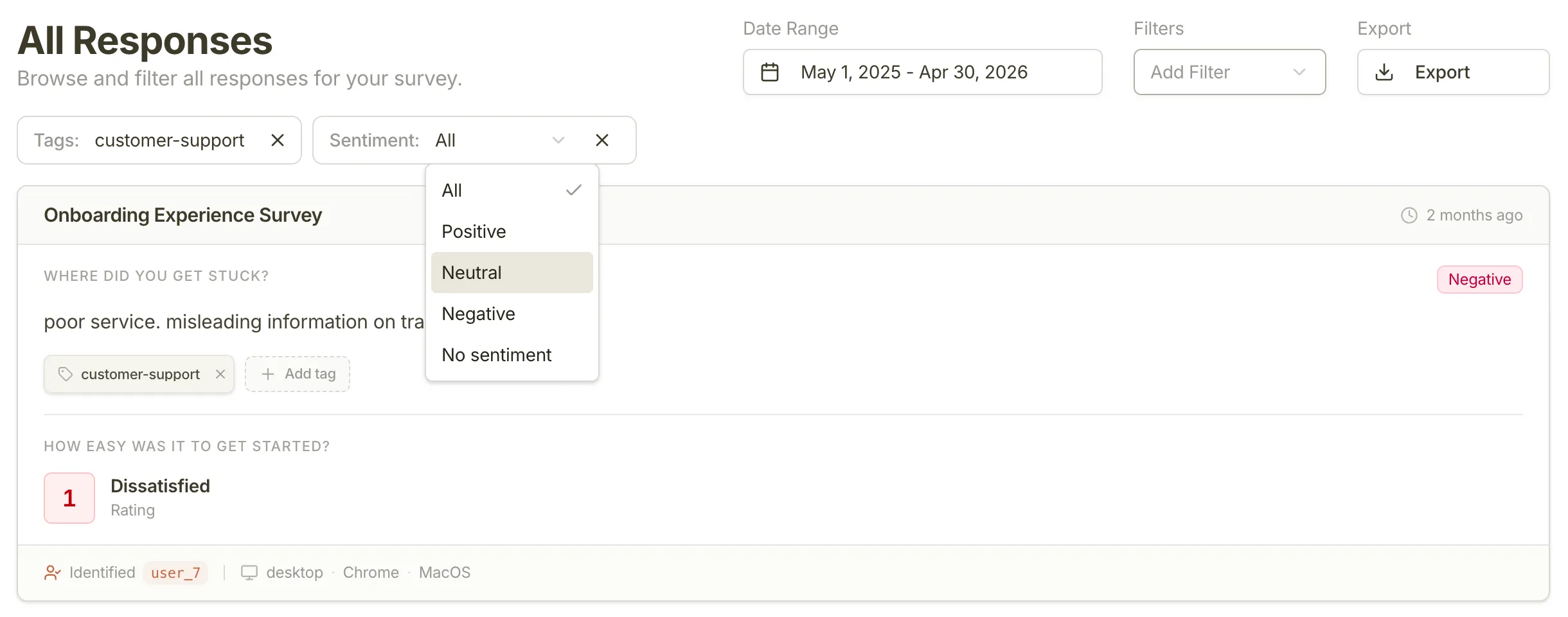
AI auto-tagging and sentiment
What’s New
- AI auto-tagging: Pulseahead applies approved project tags to new open-text responses when there is a confident match.
- Sentiment labels: Open-text answers can now be marked as positive, neutral, or negative. See Response Sentiment for how these labels work.
- Tag and sentiment filters: The Response Feed and Survey Analytics can now be filtered by tags and sentiment.
- Untagged review: Filter for untagged responses when you want to clean up feedback that still needs a human pass.
When to use it
Turn on AI auto-tagging when your open-ended surveys produce more responses than your team can label by hand. It works best after you have a clean set of tags such as bug, pricing, onboarding-friction, or feature-request.
Auto-tagging does not create new tags on its own. It uses the tags your team has already approved, then adds sentiment so you can separate urgent negative feedback from neutral notes and positive signals.
What this means for you
- Faster triage: Filter straight to negative feedback, feature requests, or untagged responses.
- Cleaner analysis: Survey Analytics now shows sentiment and tag breakdowns for open-text questions.
- Less manual tagging: Your team can spend more time reviewing feedback and less time applying the obvious labels.
Feedback? Tell us via in-app chat or reply to your onboarding email.