

Overview
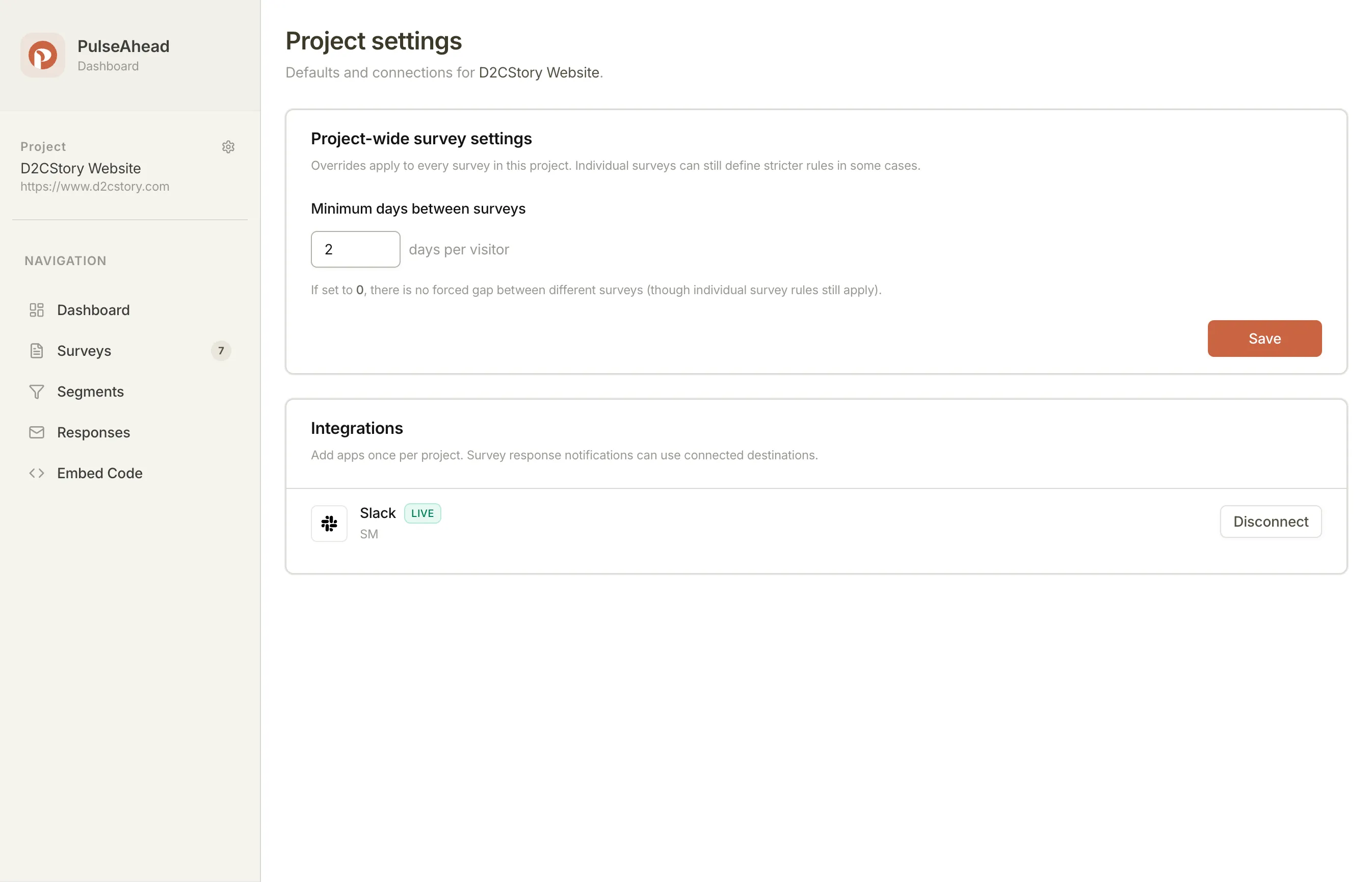
You can now send survey responses straight to Slack. Connect your workspace once in Project Settings, then configure alerts per survey: forward everything, or filter by answer so only the responses that matter show up in your channel.
What’s New
- Slack integration: Connect your Slack workspace from Project Settings under Integrations. One connection per project covers all surveys.
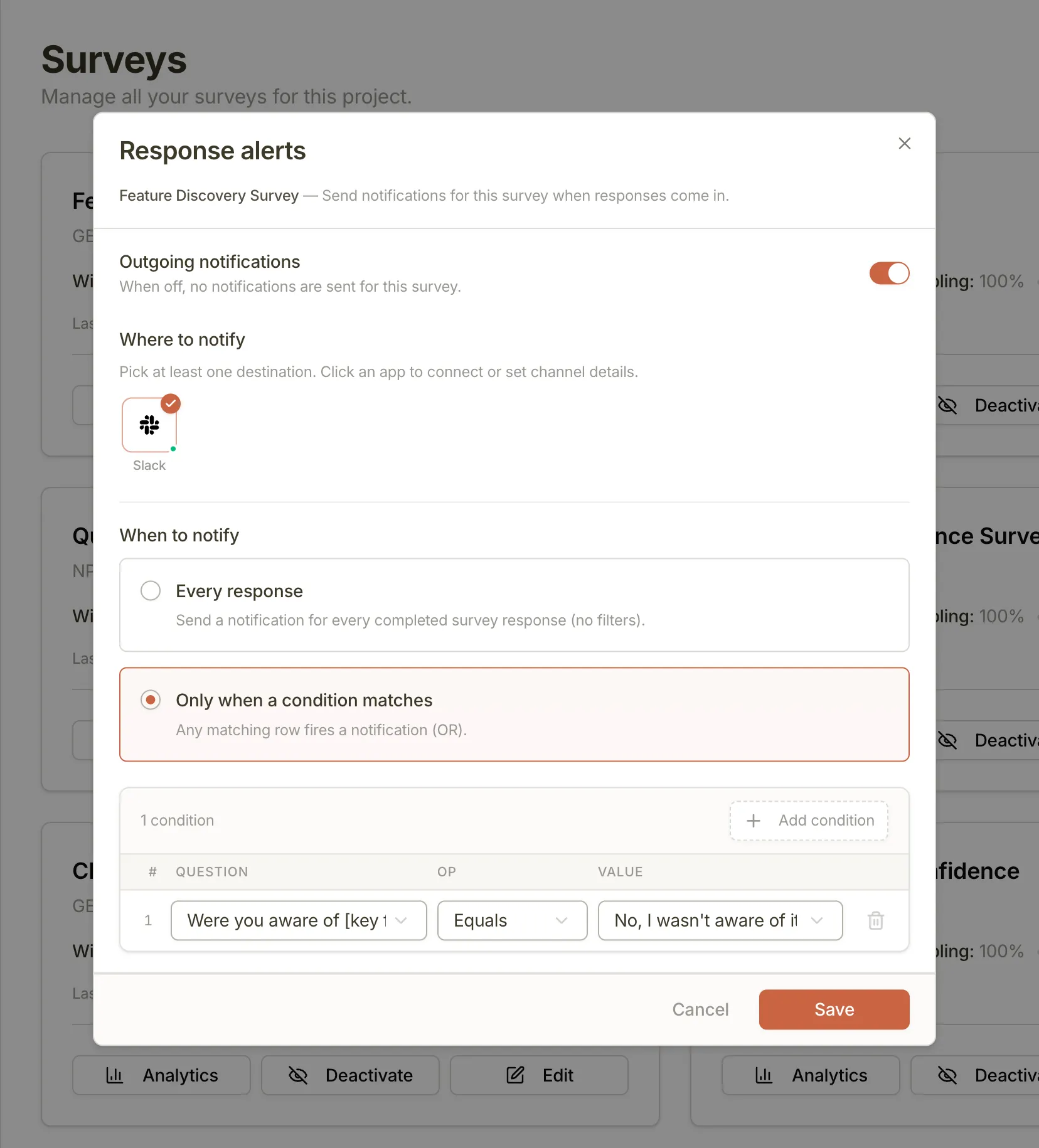
- Per-survey alert configuration: Each survey has its own “Response alerts” config, accessible from the survey list menu. Enable or disable independently without touching other surveys.
- Two delivery modes: Forward every completed response to Slack, or use condition-based filtering to notify only when a specific answer matches.
- Condition builder: Set conditions on any rating, NPS, long text, or choice question in your survey. Multiple conditions are evaluated as OR — any match fires the alert.
When to use it
Every response works well for low-volume surveys or any time you want the full picture: new user onboarding surveys, churn flows, post-demo feedback. You see each response as it comes in, no setup beyond connecting Slack and picking a channel.
Condition-based alerts are better when response volume is high or the signal-to-noise ratio matters. A few examples where filtering earns its keep:
- NPS detractors only (score ≤ 6): route to a
#churn-riskchannel for immediate follow-up - Churn survey: only alert when someone selects “Missing a feature I need” as the exit reason
- Feature adoption survey: alert when a user says they were unaware of a capability your team just shipped
You can add multiple conditions to the same survey. Any single match triggers the notification.
What this means for you
- No more manual response exports or daily dashboard checks to catch urgent feedback. The responses that require action come to where your team already works.
- The Slack connection lives at the project level, so you only authorize once. Each survey then controls its own destination channel and filter rules.
Feedback? Use the in-app chat or send us an email at support@pulseahead.com.