
Survey Response Alerts
The other pages in this section cover reviewing responses inside Pulseahead: Survey Analytics for one survey, the Response Feed across all surveys, Response Tags and Response Sentiment for open-text feedback, and the User Timeline for one person over time.
Survey response alerts are for the other direction. When a response comes in that matches your criteria, Pulseahead sends a notification to an external destination, such as a Slack channel, so your team can act without having to check the dashboard.
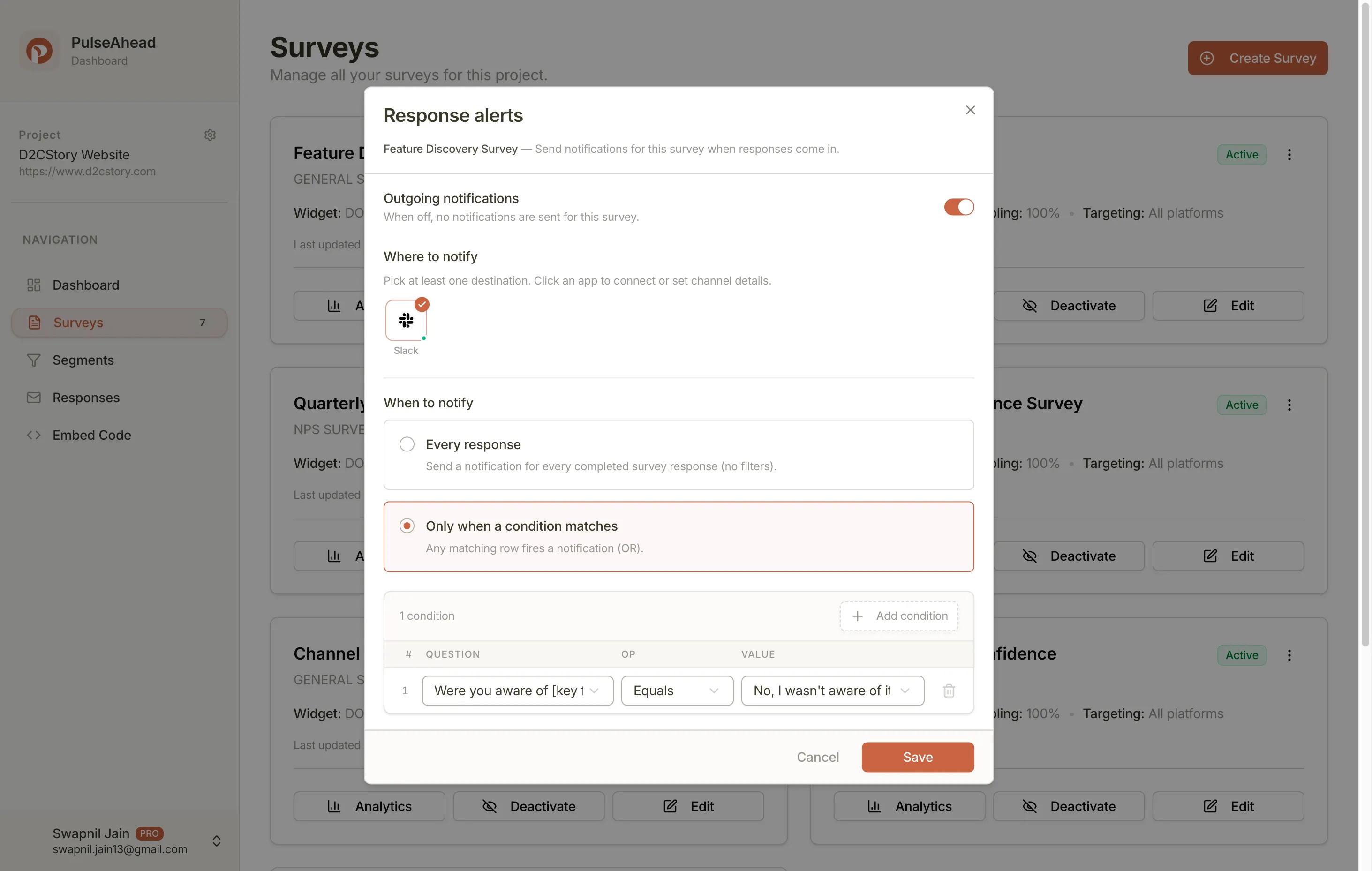
Alerts are configured per survey. Open a survey, go to Response Alerts, and choose where to send, when to send, and what conditions should trigger a notification.
How alerts relate to integrations
Section titled “How alerts relate to integrations”Integrations (under Project settings) is where you connect external accounts, for example authorizing Slack for your workspace.
Response alerts are where you use those connections on a specific survey. Only destinations that are already connected to your project appear under Where to notify.
As Pulseahead adds more outbound destinations, the same configuration flow will support them. If you turn on multiple destinations for a survey, matching responses are delivered to all of them.
How delivery works
Section titled “How delivery works”When a response comes in, Pulseahead runs through a short sequence:
- Capture — The respondent completes the survey.
- Filter — Pulseahead checks whether the response meets your When to notify conditions.
- Deliver — If conditions are met, Pulseahead sends to every destination configured under Where to notify.
Alerts only fire on completed responses. Partial responses (where the respondent dropped off before the final screen) do not trigger notifications.
Conditions
Section titled “Conditions”Under When to notify, you can alert on every completion or only when specific conditions are met.
Each condition is built from a step, an operator, and a value. If you add more than one condition, they use OR logic: the notification sends if any condition matches.
Condition examples
Section titled “Condition examples”- Low score — Notify
#customer-successwhen an NPS score falls below a threshold. - High intent — Notify your sales channel when someone selects an option like “Book a demo”.
- Keywords — Notify when a free-text answer contains words like “pricing” or “billing”.
Available operators
Section titled “Available operators”Operators depend on the step type:
| Step type | Operators |
|---|---|
| Numeric (NPS, rating) | equals, less than, greater than, range |
| Text | contains, excludes, is empty |
| Multiple choice | matches specific options |
Destinations
Section titled “Destinations”Related pages
Section titled “Related pages”- Survey Analytics and Response Feed — reviewing responses inside the product
- Integrations overview — how Pulseahead manages external tool connections
- Connect Pulseahead to Slack — OAuth setup, channel selection, and troubleshooting