

Overview
We’ve added Markdown support to the Call to Action and Message Box survey steps for our Paid Plans. This update empowers you to create richer, more engaging descriptions by using standard Markdown syntax. Now you can easily bold text, add italics, include links, and create lists directly within your survey steps.
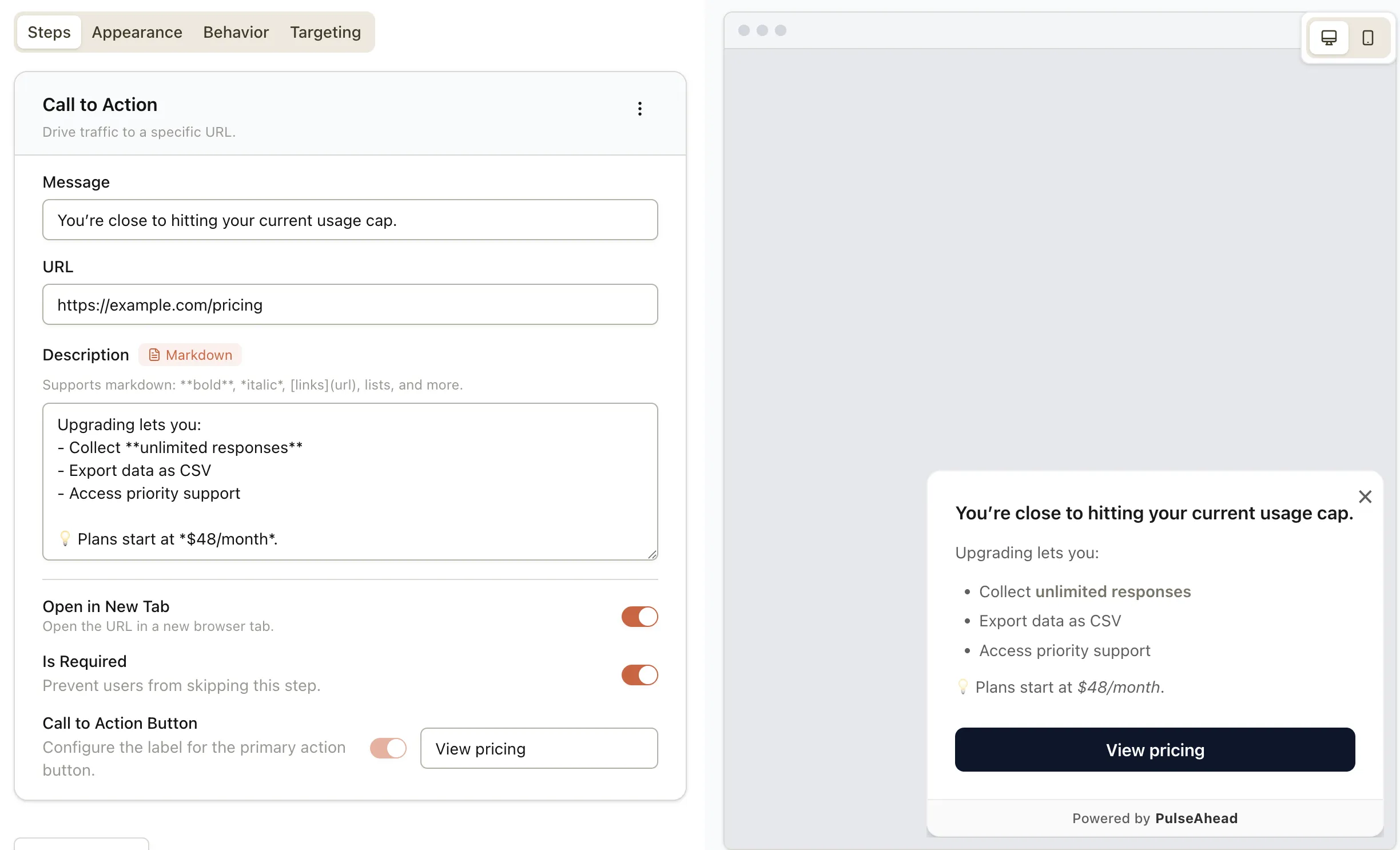
What’s New
Markdown is now supported in CTA and Message Box steps.
- Use bold and italics to control emphasis
- Use bullet points for structure
- Add inline links (pricing, docs, support)
- Available on Paid plans
Why This Matters
Control what users pay attention to
Markdown lets you visually separate the important from the supporting text.
Example:
Bold the consequence (“You’re close to your limit”), de-emphasise the explanation, and surface the next action clearly.
Without Markdown, everything looks equally important.
Reduce confusion in high-friction moments
When users hesitate, structure matters more than copy length.
Example:
Before an open-ended question:
- One bold line explaining why you’re asking
- A short list of what to include
- An italic hint showing a good response
This improves response quality without adding more steps.
Turn text steps into decision points
Links inside structured content allow users to act immediately, not later.
Example:
Explain a policy change in a Message Box, then link directly to:
- relevant docs
- a help article
- or a support flow
No dead-end messaging.
Say more without overwhelming users
Markdown lets you keep explanations compact while still being complete.
Example:
Put the core message in bold, details in bullets, and optional context in plain text - users skim or read deeply as needed.
Ready to upgrade your survey descriptions? This feature is available now for all Paid Plans. As always, we’d love to hear your feedback!