

Overview
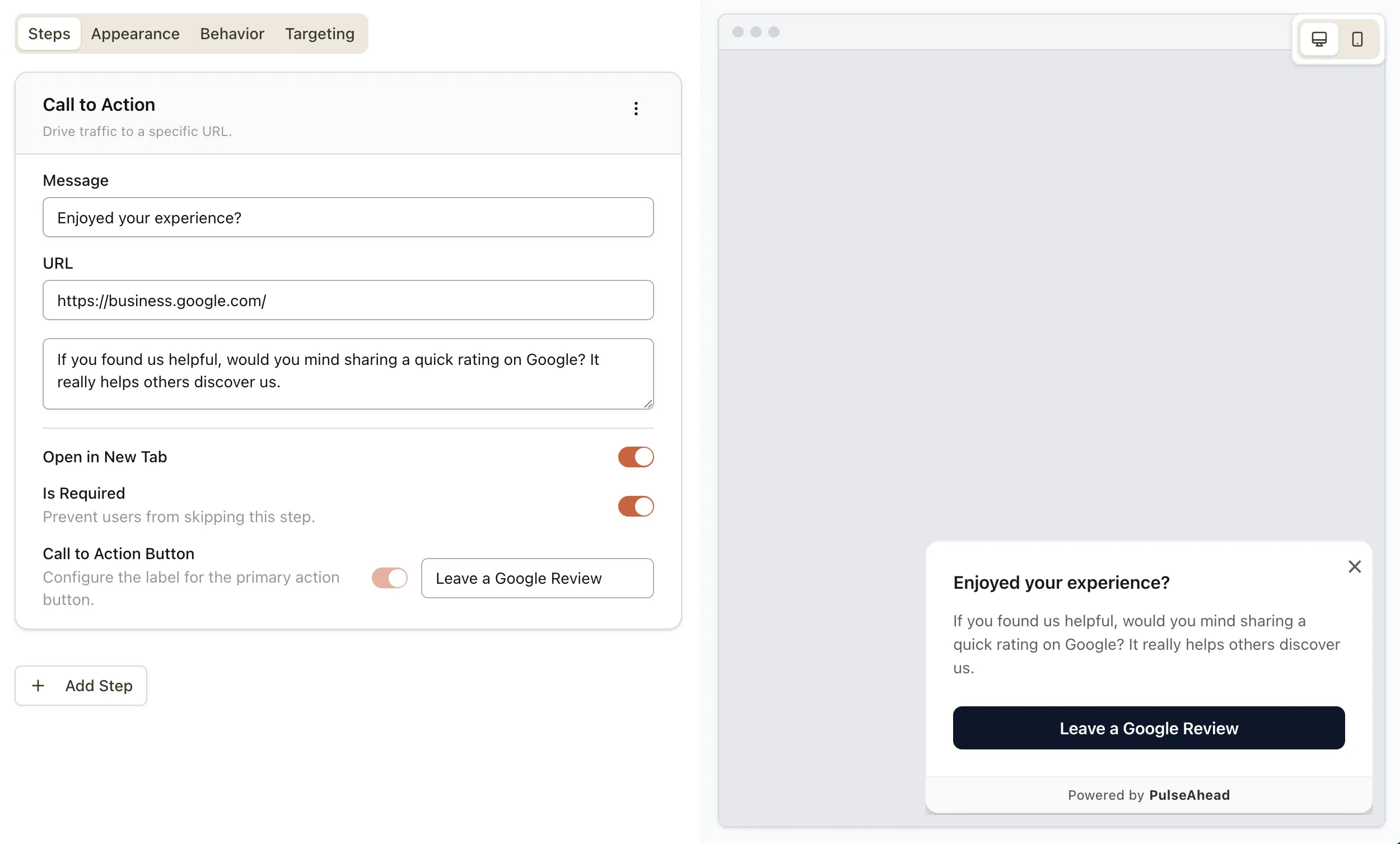
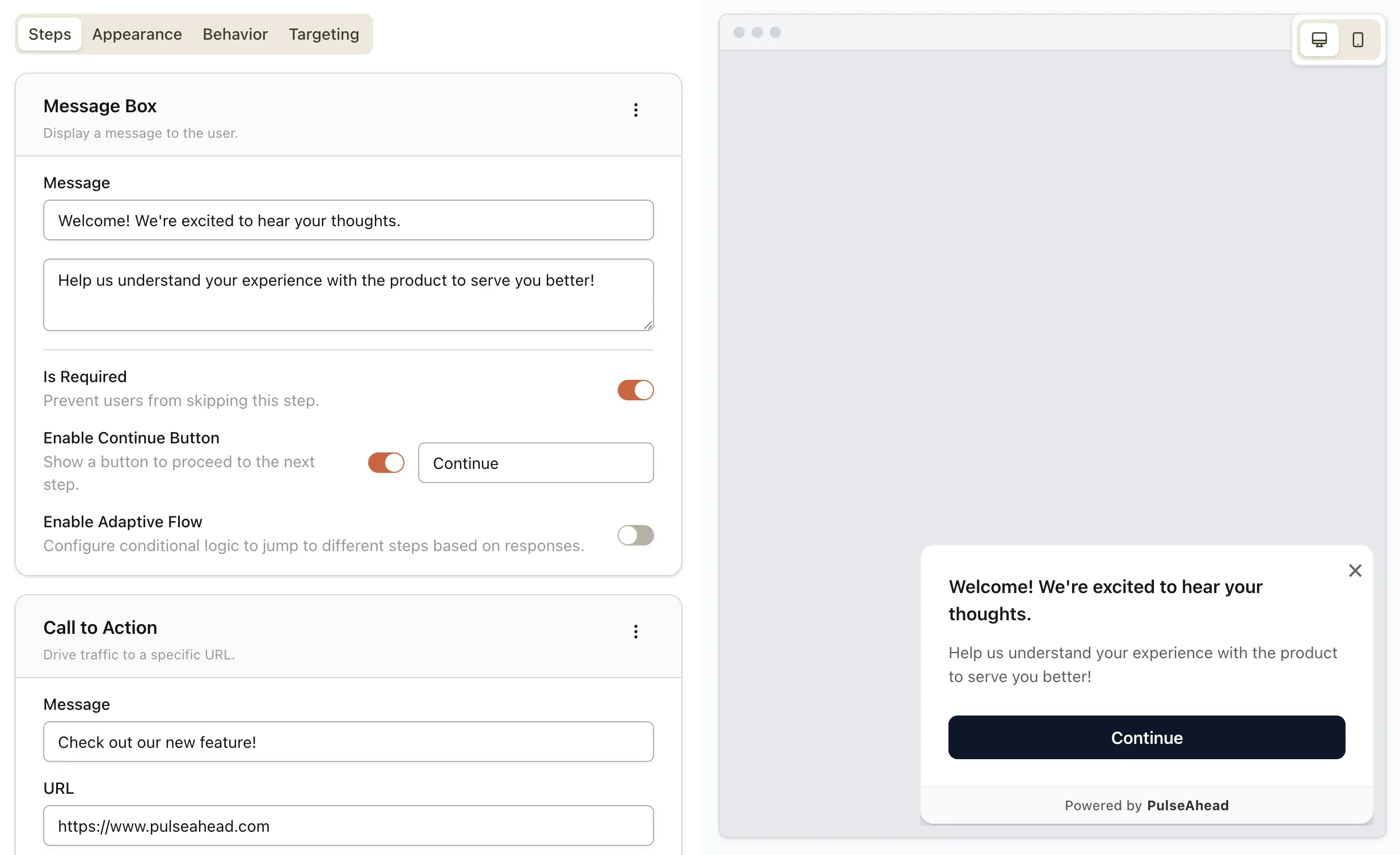
We’re introducing two new survey step types designed to improve communication and engagement: Message Box and Call to Action. These steps help you guide users through your surveys more effectively, providing context, instructions, or directing them to important resources at the right moment.
What’s New
- Message Box Step: Display informational messages, instructions, or important notices between survey questions without requiring user input.
- Call to Action Step: Drive traffic to external URLs, landing pages, or resources with configurable buttons that can open links in new tabs.
- Flexible Button Configuration: Both steps support continue, skip, and acknowledge buttons with customizable labels.
- Adaptive Flow Integration: Use conditional logic to show these steps based on previous responses.
How This Helps You
- Better Survey Flow: Provide context, instructions, or breaks between questions to improve user understanding and completion rates.
- Strategic Communication: Display important messages, terms, or updates at optimal points in your survey journey.
- Drive Conversions: Use Call to Action steps to direct users to pricing pages, help centers, or other important resources during the survey.
- Enhanced User Experience: Create more engaging, guided survey experiences that feel conversational rather than interrogative.
Have feedback on these new step types? We’d love to hear it. Reach out via in-app chat or by replying to your onboarding email.